
🚀 Elevate your desktop game with powerhouse mini-PC performance!
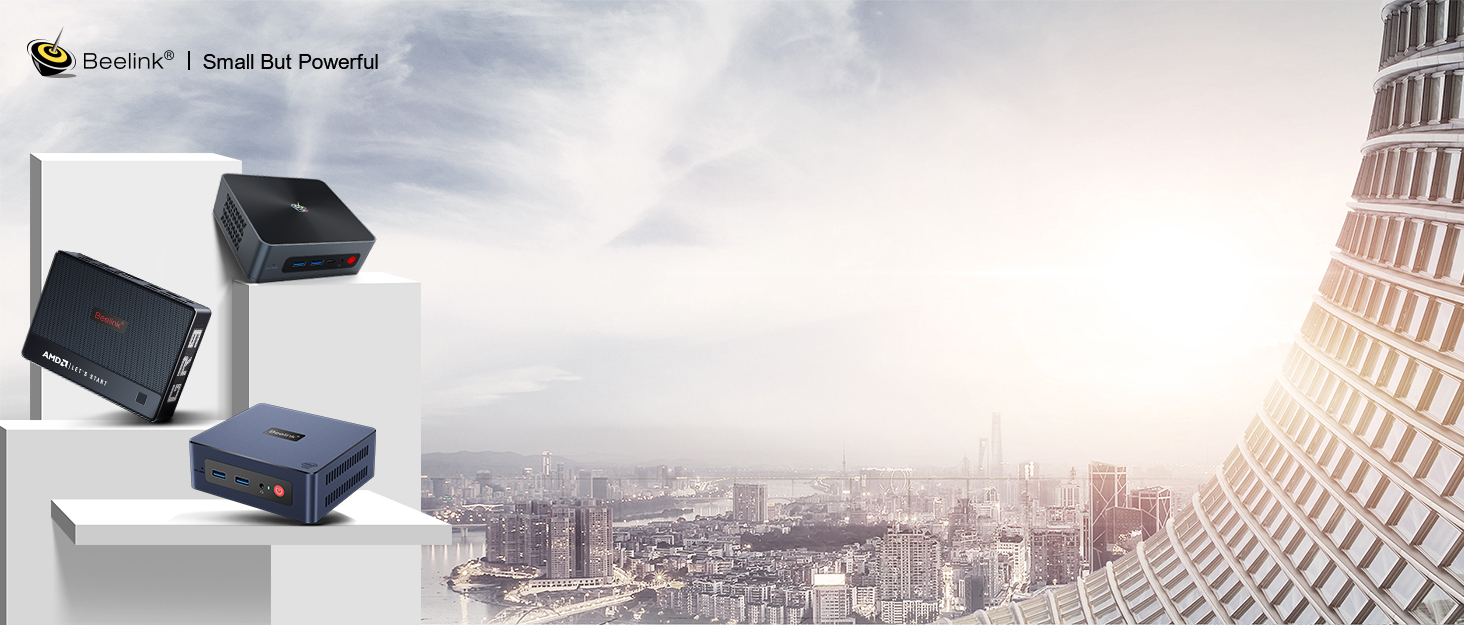
The Beelink Mini S13 is a sleek, ultra-compact desktop PC powered by an Intel Twin Lake N150 quad-core processor, 16GB DDR4 RAM, and a 1TB SSD. It supports dual 4K UHD displays via HDMI 2.0, features advanced cooling, and offers next-gen WiFi 6 and Bluetooth 5.2 connectivity. Designed for professionals seeking a high-performance, space-saving solution, it runs Windows 11 Home and includes versatile ports and a VESA mount for a clutter-free setup.


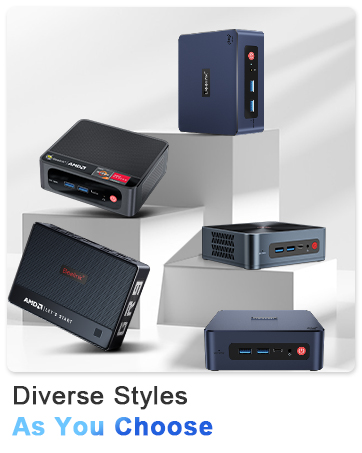

| ASIN | B08D96HGX8 |
| Best Sellers Rank | #2,654 in Computers & Accessories ( See Top 100 in Computers & Accessories ) #102 in Mini Computers |
| Brand | Beelink |
| Card Description | Integrated |
| Chipset Brand | Intel |
| Color | White |
| Computer Memory Type | DDR4 SDRAM |
| Customer Reviews | 4.3 4.3 out of 5 stars (1,261) |
| Date First Available | July 20, 2020 |
| Graphics Coprocessor | Intel UHD Graphics |
| Hard Drive | 1 TB SSD |
| Hard Drive Interface | Serial ATA |
| Hardware Platform | PC |
| Item Dimensions LxWxH | 4.68 x 4.68 x 0.7 inches |
| Item Weight | 1.57 pounds |
| Item model number | Beelink |
| Max Screen Resolution | 3840 x 2160@60Hz |
| Memory Speed | 3200 MHz |
| Number of Processors | 4 |
| Number of USB 3.0 Ports | 4 |
| Operating System | OS |
| Power Source | Input: 100-120V AC, 50/60Hz |
| Processor | 3.6 GHz celeron |
| Processor Brand | Intel |
| Product Dimensions | 4.68 x 4.68 x 0.7 inches |
| RAM | 16 GB DDR4 |
| Screen Resolution | 3840 x 2160 |
| Series | Beelink MINI S13 |
| Wireless Type | 2.4 GHz Radio Frequency, 5 GHz Radio Frequency, Bluetooth |
A**I
Amazing MIniPC for pfSense with AES-NI (Review for Beelink Model GK55 with 2 EThernet Ports)
As my Netgate SG-4860 pfSense died, because of the widespread C2000 Intel Atom Problem, I was not thrilled that as out of Warranty Netgate did not extend coverage as it was a clear known widespread hardware failure. So instead of spending 700$+ again I was looking for a powerful replacement, that kind of matched the new Netgate 4100 better 6100, in performance. Based on the CPU and the requirement to be "AES-NI" compliant and having auto power on (So that after a power failure the box would start automatic again), I found this little PC. And I have to say I'm so impressed. My data throughput is way higher than the SG-4860, and VPN throughput is basically double compared to SG-4860. pfSense installation worked like a charm out of the box. The two 1GB NIC's where automatically recognized by FreeBSD. Only downside is the fan, that really is not scaling down although, for me not relevant, as it sits with my network equipment, that has louder fans. Talking about that, if you want to mount it into a rack the included VESA Mount need just the holes to be drilled a bit wider but they perfectly align for Rack Installation. The delivery really came in a very nice box, with all what you need even a small and longer HDMI-Cable. Really impressed such upscale packaging for such a purchase! I would recommend to Beelink to make a pfSense-Package with a smaller SSD and without Win11pro and the other Audio/Video features ;-), but already as the box is, it does the magic very well, at a great price! Highly recommendable! Attention pfSense 2.7.0 BUG! (Not Beelink's fault!), if your Beelink GK55 after upgrading to pfSense 2.7.0 does NOT boot anymore isntead sitz at a black screen with a whote square, do the following: 1. IF you already have a current Backup of the last Configuration of the pfSense Firewall go to Step 4. 2. IF you do not have a current Backup of the Configuration, use a USB-Bootstick of pfSense (mostlikely pfSense 2.7.0 or what was the last operating version) and reinstall using the Option "Recovery from existing Harddrive" (As the config is still there!) 3. As soon as pfSense booted again, make a Backup from the configuration (At next reboot it will fail again, don't waste more time) 4. Do a complete RAW install (WITHOUT recovery!!!) from USB-Bootstick at least Version pfSense 2.7.1 5. Restore the Backup Video is of known pfSense Bug in HighSpeed recording...
A**E
Works GREAT
Good little box. It does what I need it to do. It’s faster than the PC stick I had and tucks right behind the 65 inch TV nicely with velcro. Connected a usb dongle for wireless mouse and keyboard w/o any issue!! Also puts out good HD video.
J**N
Great little PC for web browsing and light work
I'll keep it short, for the price of around $150 with Windows 11 installed this is really hard to beat. Browsers run fine, very light games work fine, it's quiet and just works. I knocked a star off because the WiFi is weak and slow. I have two other Beelink PCs and they don't have this problem so I know it's not my network. I just run it wired to Ethernet and it's fine.
M**N
A Mighty Mini PC: Small in Size, Big in Performance at an Unbeatable Price!
I recently bought this mini PC, and it's proven to be an absolute steal, especially considering the incredible deal I snagged it for – just $120 on Amazon! This little device is a testament to the saying "good things come in small packages." It's astounding how something that fits in the palm of my hand can rival the performance of a full-sized PC. Performance-wise, this mini PC is a speed demon. It handles everything from Zoom meetings and Skype calls to running heavy-duty applications like Office and Photoshop with ease. Streaming videos and surfing the web are smooth experiences, thanks to its robust processing power. The dual 4K HDMI outputs are a game-changer for multi-tasking or enjoying high-definition entertainment. Plus, the efficient cooling system deserves a shout-out for keeping things cool under pressure. Design-wise, it's sleek, compact, and incredibly space-efficient. It even comes with a handy wall-mount bracket, which is great for keeping my workspace neat and tidy. The array of interfaces, including several USB3.0 ports and a gigabit Ethernet port, meet all my connectivity needs. It's amazing to see such functionality packed into a device this size. However, not everything was perfect. There was a bit of a mix-up with the operating system. I ordered the Linux version, but it arrived with Windows pre-installed. While I wasn't too fussed since I intended to use Windows anyway, it's worth noting for those who might be specific about their OS preferences. Also, the legalities of this OS switcheroo are a bit murky since I didn't pay for a Windows license. But given the mini PC's budget-friendly price, this issue didn't dampen my spirits too much. In conclusion, this mini PC is a fantastic buy for anyone looking for a powerful, compact, and affordable computer. It's suitable for a wide range of uses, from business to entertainment. Just keep an eye on the operating system if you're picky about that. Other than that, you're in for a treat with this pint-sized powerhouse.
S**G
A great buy for the cost.
This is a very responsive and solid little unit... Fantastic for general use, and will even play light games / minor emulators well. Adding an HDD is very easy, unit is VERY small and stays cool. Fan is quiet. Windows 11 runs very snappily on the hardware, and this unit multitasks much better than I expected from a single channel system with a Celeron in it. If you're just in need of a strong, basic computer, do yourself a favor and pick one of these up. If you're after a box capable of playing heavier or modern games, this isn't going to be the product for you, but it does everything else exceedingly well. WTG Beelink! I will buy more products from this company.
P**R
(I'm editing my review because I thought the voltage reading I was getting on the CPU seemed high but I have confirmed with an Intel rep that it is within the normal range for the CPU in this machine.) I payed $190 CDN for this computer in December of 2022. Performance is quite good considering it has a 15W TDP processor in it. I have upgraded the RAM to 16GB from the original 8GB and I have added a 500GB 2.5" SSD in addition to the original 128GB SSD. Pros: Good performance for the price and power draw. Can run many low end or older games quite decently. I had decent experiences running overwatch 2, Fallout New Vegas, Half LIfe 2, Portal 2, Half Life, Half Life Infinite, Golf with Friends, and other older games at 720P with low or medium settings. Overwatch 2 was a bit stuttery on occasion but doubling the RAM to 16GB seems to have smoothed it out. The machine also has many great features, such as: Socketed RAM that can be swapped out. An M2 SATA SSD (stock config) that can be swapped out and upgraded. It also has an available pre-wired 2.5" drive bay so you can easily install a 2.5" SSD. The bottom of the computer is easily removed with four small screws and all the upgradable components are easily accessible immediately upon opening the computer. Also, the BIOS is surprisingly robust and open ended given that this is an OEM machine. You can TDP up the CPU if you're brave and have the computer in a cold room. You can change the amount of RAM to allocate to the integrated graphics, and you can tweak memory timings. Is the bios a pretty looking graphical interface? No, but it is a UEFI bios with a lot of options to play with. Also, the machine did not come with any bloatware that I was aware of. Just Windows and drivers. The windows 11 pro installation was activated. No missing drivers in device manager. Cons: The machine gets to 70-80C under load in a 22C room which is what my home is usually heated to. By under load I mean running 2 high res videos on two seperate screens (which it does without any noticeable frame drops), or running a game, stuff like that. Obviously if you do a 30 minute cinebench marathon it's going to probably get warmer. Are these temperatures a problem? Absolutely not. However if you were to be in a very hot part of the world without air conditioning, and you were to run this computer in say a 35 celsius environment, I'd be watching the temperatures of the computer's processor more carefully. Having said that, the same is true of any machine with a small heatsink in hot environments, such as laptop computers or SFF computers, so that's not necessarily a con against this specific computer. The only real genuine con I've found with this machine is that the RAM is single channel (only one slot). Having said that, the only situation where that will matter for a machine in this class is the integrated graphics. Could I get a few more FPS in Fallout with dual channel RAM? Possibly. Is it a deal breaker? No. Also this computer runs Chrome OS Flex and Fyde OS (a fork of Chrome OS) flawlessly with zero issues. Also when I removed the included 8GB 2400Mhz RAM and replaced it with 16GBX1 2666Mhz RAM as well as adding a 500GB SATA SSD the machine booted up within about 10 seconds and posted immediately. It also correctly set the RAM speed to 2666Mhz. The SSD was immediately available in disk management as well as the BIOS. Noticeable quirks based on my findings: possibly innaccurate vCore readings, definitely innacurate RAM speed readings (2666 RAM reads at 667 instead of 1333. It's definitely running at 2666 though). Also I was somewhat disappointed with the sound quality from the built in 3.5mm output and upgraded to a cheap and cheerful Soundblaster Play 3 external DAC dongle which sounds somewhat better while also offering more sound profile tweaks. Works well with this device. Good value for money. Good cheap PC for a media center, or retro gaming, or maybe for your grandparents who want to surf the web and watch youtube videos. Also pretty decent for MS office which I have used on it. Competent basic every day PC at a low price.
F**N
funcional
E**T
Beelink GK-Mini J4125, 8GB ram 256 GB SSD Pros: 1. Really tiny for a PC, quite well built with a metal base. Can go anywhere (e.g wall behind the TV with the supplied hardware) 2. Fan is quiet (non-throttling) and can be easily tolerated. This will probably extend the life of the unit which is barely warm during use. 3 Has 4 USB3 ports for peripherals and 2 HDMI outlets for multiple monitors. 4. The CPU (Celeron J4125) has modest performance but the GPU (Intel UHD 600) supports 4k 60 Hz and delivers superb images/videos to my LG 4K monitor. 5. Windows 10 Pro is pre-installed with zero bloatware. I installed Chrome, Irfanview and VLC separately in no time. 6. LAN connection is solid (have not tried WiFi or Bluetooth) Cons: 1. Comes with no instructions. It does have a label recommending creating a local user during first startup with internet disconnected. This turns out to be essential. 2. The PC hardware and the supplied Windows 10 has driver incompatibility. During use, Task Manager shows that the service Windows Audio Endpoint Builder takes up a steady 35% CPU, crippling the PC. A check with device manager will show the driver (Intel display audio driver that powers the HDMI audio) is already the latest. A scan using the Intel Driver Assistant also did not show an update available for this driver. No amount of fiddling fixed this issue until I manually initiated a Windows update, which somehow found and installed a later version of the display audio driver (version 2020 instead of 2019). The PC is now back to normal with ~0% CPU at idle. The Windows update resulted in some bloatware installed which I had to manually delete, a small price to pay. 3. Playing AV1 encoded videos (resource intensive) with VLC reaches the limit of this Mini quickly. At 1080, play is smooth but at 1440, play is laggy as CPU touches 100 percent, and at 4K, play freezes or won't start. Interestingly, most of the difficult files (including 4k) will play nicely through the Chrome browser which might have a more efficient AV1 decoder in its built-in video player. Rare to see VLC (v 3.0.16) got beat. Aside from the initial pain of configuring/customizing a new PC, specially to a 4K monitor, I found this Mini-PC to be quite adequate. It starts in 30 seconds, surfs the web quickly, with multiple tabs opened. It will play 4K video (H264 encoded) without a glitch using VLC and stream 1080 content quite happily. Overall, it behaves like a mid-level desktop and can serve as such with an external drive connected via USB. When used with a 4K monitor/TV, the 4K display output produces stunning images/video with lots of detail and texture, great for photo editing work. Recommended. I gave this 5 stars but had wished Beelink would be more thorough in checking driver compatibility first before release (to save me some grief).
M**O
Gostei muito desse.mimi Pc !!! Ideal para meus trabalhos home Office
A**R
My trusty old HP tower PC finally ground to a halt, so was looking for a reliable replacement. I saw these mini PC's, and based on the reviews, decided to give this a go. When I opened the box I couldn't believe how small these actually are (about 4.5 inches square). No way, I thought, would it accommodate all the bits and bobs needed, monitor, printer, ethernet, speakers, keyboard and mouse - but it did. And I still have a USB and HDMI port going spare. I had absolutely no problems with the set up procedure, it was a breeze. The system "talks you through" each set up sequence and it really couldn't be easier. My only stumbling block was the connection from the monitor to the PC. I had the old "blue" large HDMI cable which was too large to fit the new PC so had to get a HDMI/DVI adaptor (£7 from Amazon that arrived next day). It works brilliantly. I do not use this for gaming, purely for internet browsing, email, Office programmes, etc and I am blown away by how good it is. It is fast, efficient, quiet and so small I now have tons of space on my desk. Would highly recommend, and for around £200 what's not to like?
Trustpilot
Hace 2 meses
Hace 4 días



