We remain fully operational. Our teams are working around the clock to ensure your deliveries continue safely.

Descargar la aplicación


Servicios al cliente
Sobre nosotros
Copyright © 2025 Desertcart Holdings Limited
Descargar la aplicación
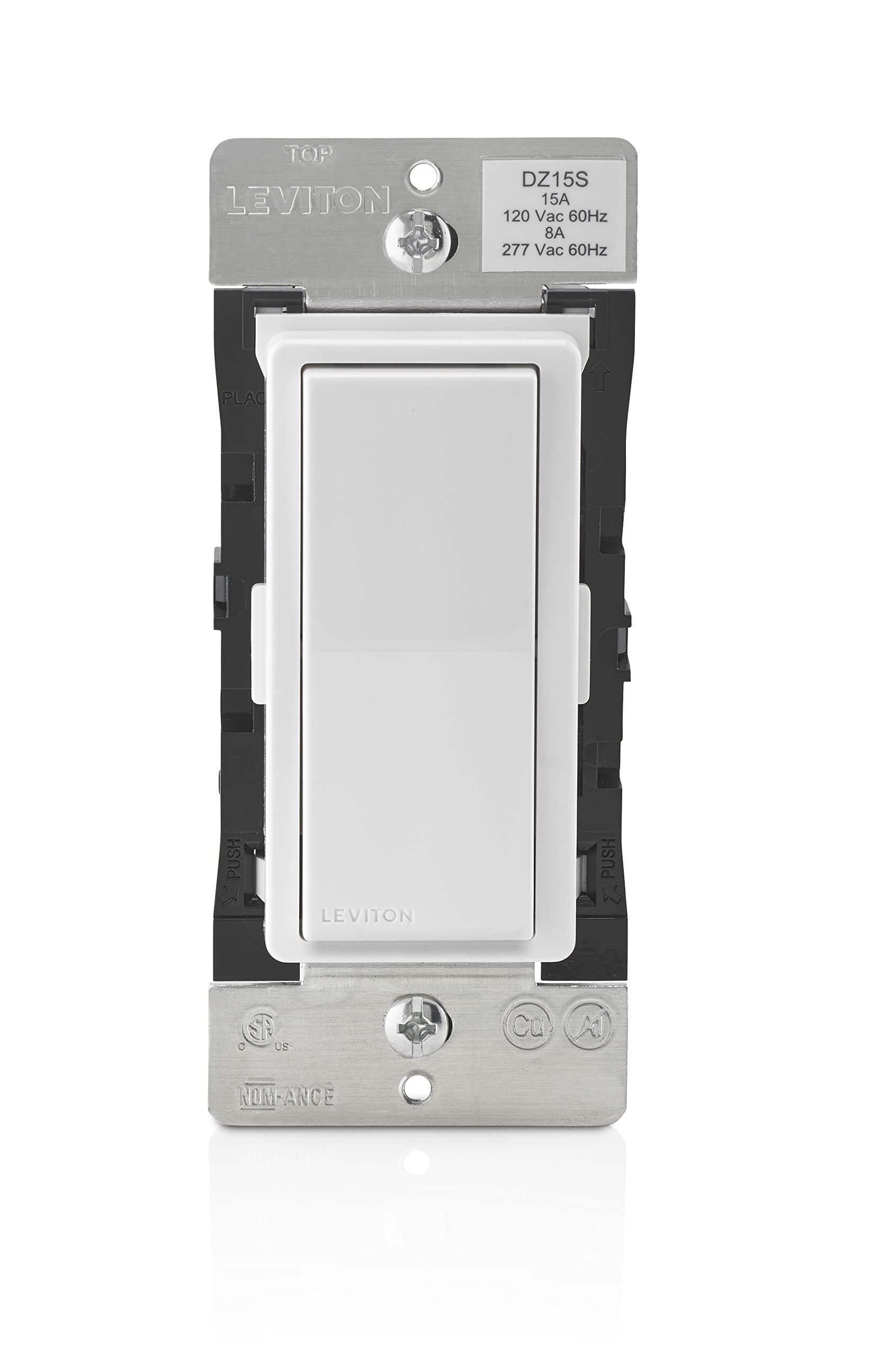

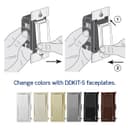
💡 Elevate your space with smart power and style — because your home deserves the future now!
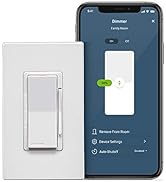
The Leviton Decora Smart Switch DZ15S-1BZ is a Z-Wave Plus certified smart switch designed for professional-grade lighting control. It supports high wattage loads up to 1800W for incandescent bulbs and 600W for LED/CFL, integrates seamlessly with popular hubs like SmartThings and Wink, and offers voice control via Alexa. With multi-location switching capabilities, customizable faceplates, and a sleek Decora design, it combines cutting-edge technology with versatile style, backed by a 5-year limited warranty and USA engineering.




| ASIN | B01MZ0WVKH |
| Actuator Type | Push Button |
| Best Sellers Rank | #951,532 in Tools & Home Improvement ( See Top 100 in Tools & Home Improvement ) #1,528 in Dimmer Switches |
| Brand Name | Leviton |
| Circuit Type | 3-way |
| Color | White/Light Almond |
| Connectivity Protocol | Z-Wave |
| Connector Type | Clamp |
| Contact Material | Copper, Brass |
| Contact Type | Normally Open |
| Control Method | Voice |
| Controller Type | Leviton Lumina, SmartThings |
| Current Rating | 15 Amps |
| Customer Reviews | 4.3 4.3 out of 5 stars (502) |
| Global Trade Identification Number | 00078477764909 |
| Included Components | Device, Color Change Kits |
| International Protection Rating | IP00 |
| Item Dimensions | 2.1 x 1.4 x 4.1 inches |
| Item Type Name | Decora Smart Switch with Z-Wave Technology, White/Ivory/Light Almond |
| Item Weight | 0.3 Pounds |
| Manufacturer | Leviton |
| Material Type | Plastic |
| Model | DZ15S-1BZ |
| Mounting Type | Wall Mount |
| Number of Items | 1 |
| Number of Positions | 2 |
| Operating Voltage | 120 Volts (AC) |
| Operation Mode | OFF-NONE-ON |
| Specification Met | Ul, Fcc, Csa, Nom, Z-wave Plus |
| Switch Type | Rocker |
| Terminal | Screw |
| UPC | 078477764909 |
| Unit Count | 1.0 Count |
| Warranty Description | Limited 5-Year |
| Wattage | 1800 watts |
M**N
Great switch for use with a Wink hub
Got this to control some kitchen lighting with our wink hub. Setup was incredibly easy. Installation was bought because the unit is really deep and sits almost all the way back in a standard electrical box. Packing the wiring and the switch in a box was nearly impossible, but it's worth the effort. The switch paired perfectly with our Wink hub and works every time. You can control lighting with the switch itself or with the app on your phone. Seems to be well made and well designed. Can't attest to how it functions with other hubs, but with the Wink, we are happy.
A**J
Works with Vivint and Alexa. Easy Install!
I ordered one of these to test functionality with my Vivint Security System. It works flawlessly and allows for Alexa commands as well. If you do want to connect this to your Vivint panel you will need to call Vivint and get a security code to put in to add it to the system. Another note is that after you get the Vivint panel to begin looking for the device, you need to hold the switch down for 7 seconds until it flashes orange and then press it once more until it turns green. That is when the Vivint panel will see it and allow you to name it! That's it - viola - it just works. Needless to say, I am ordering a few more!!!!!!!!!!
B**D
Works as advertised (but overpriced on Amazon)
This review is for the Z-Wave switch. It seems that the reviews are mixed with reviews for the dimmer. The switch is either on or off, nothing in-between. The switch is working fine. I was not able to thoroughly check some of the features (such as 3-way or Z-Wave repeater mode) but the basic feature of turning the switch on or off is working correctly. My switch is connected to a Smart Things hub. The pairing instructions on the hub are at best misleading (read wrong!) but I don't believe that this is Leviton's fault. Some people reported reliability issues but I only have one for 2 weeks... I am going to order more and will be able to comment on this later. Update: I know have about 10 of those in my house. They are very reliable. I came to Amazon to order more but they are now $60.28 vs. 41.95 at Home Depot.
R**N
A little bit difficult to activate
I have one other Leviton device and it is at the far end of the house. It disconnects and has to be reconnected to my Wink hub periodically. Last week it disconnected again. Being house-bound due to the Corona Virus, I decided to spend some time and try to fix this problem once and for all. I went to Amazon and bought this and installed it at about a halfway point between my hub and the older installed Leviton switch, so that the Z-wave at the far end of the house could make a better link to my hub with this as a 'bridge' device. In wiring it, the Red terminal has to go to the load - I incorrectly connected the load to the white terminal at first, and then found my error and reconnected it properly. You need a Neutral wire in the box connected to the 'White' terminal to use the switch. (Hint: You can go against code and use the ground wire as a neutral if the box does not have a neutral, if the switch is not already on a ground fault, as the ground wire is exactly the same polarity as a neutral wire). The difficult thing for me was linking it the new Leviton switch to my WINK hub. You have to put the hub in the linking mode, which is not hard to do with the app on my Android phone. You then have to depress the Leviton switch (either turning it 'On' or 'Off') until the solid green light at the base of the switch turns on. Once that occurs, you depress the Leviton switch using the top of the switch (the 'On' portion) for seven seconds or until the solid green light starts to flash. I did this repeatedly with no success - and that was my fault. There is one more step - and that is what I missed at first. Once the green light is flashing, you have to depress the switch one more time in order to initiate the pairing sequence. After about an hour of false starts, I re-read the instructions and found that I had missed this last step. Once I discovered this (it was in the instructions provided by Leviton, but I missed it), the pairing happened in a few seconds. Whew. I followed the prompt and named the new switch for the light that it controlled. Then I went to the WINK app on the phone and selected Z-wave Network Rediscovery to 'remap' the Z-wave signal. Everything worked great. Finally I went to my Amazon Alexa, and verbally asked it to discover new devices. It found the new switch in about 30 seconds, and from that point on I could control the switch from Alexa. Finally I went to the original problem Leviton switch at the far end of the house. After putting the WINK hub in the pairing mode, I first disconnected that switch from the WINK hub. I then went through the Leviton 'Reset' process (which consisted of putting the switch in the flashing mode and pressing the top of the switch several times). I then went to the WINK app and disconnected that switch from my WINK hub. Once that was done, I reconnected that Leviton switch to the WINK hub using the same sequence. I used to connect the new switch. I named my original switch by a new name just to be certain that Alexa would not be confused. I am not sure if I needed to do that or not, but I did and it worked great. I then used the Zwave Network Rediscovery option on the WINK app to make sure that the original switch was using the optimum path for its signal (there is no way to confirm that it is using the optimum path - I just hoped it would do so). Finally I went back to the Alexa App and 'discovered' the renamed switch. Now everything works great. In summary, the Leviton works fine, but it difficult to link due in part to the Z-Wave technology. I found the Moes brand switches (they do not use Z-Wave) to be less expensive and far superior if connecting to a 3-way circuit (you only need to replace one of the 3-way switches with the Moes brand - incredibly clever technology by the switch designer - and although Moes had some bad reviews on Amazon, Moes has worked reliably for me for over a year wherever I installed it, and installed three of them). But once you have started with a Z-wave, you have to use other Z-wave devices to set up a decent network. Hope this info is helpful to others who have selected Z-Wave.
B**D
Leviton vs HomeSeer in the battle for the best smart switch for SmartThings hub
We were looking for the best smart switch to use with a Samsung SmartThings hub. Criteria: * Z-Wave Plus (lower power and better range than Z-Wave) * Instant reporting to the hub (as opposed to delayed polling) We could find only two smart switches that met both criteria: Leviton DZ15S-1BZ and the HomeSeer HS-WS100+ Leviton DZ215S-1BZ: Instantaneous power-on when manually switched. Slightly less pressure required to flip switch. Draws 1.1 Watts with no load. Up to four wires per terminal. Green "nightlight" LED (default on when load is off). Can program the LED setting at the switch without a hub (on when load off, on when load on, off always). For 3-way, use either DD0SR-10 Coordinating Remote (no LED, 9 max.) or DD0SR-DL Matching Remote (with LED, 4 max.). HomeSeer HS-WS100+: .5 second delay to power-on when manually switched. Slightly more pressure required to flip switch. Draws .6 Watts with no load. Up to two wires per terminal. White "nightlight" LED (on when load is off). The included instructions do not state that the LED can be anything other than on when load off. Double-tap and Triple-tap for both up and down can be sent to the hub and can control additional scenes or devices. For 3-way, use HS-WA100+ Both are great switches. At the end of the test, we went with the Leviton DZ215S-1BZ. We really wanted the double-tap and triple-tap functions, but the .5 second delay turned out to be a deal breaker (see video).
C**.
Si bien conosco la marca Levinson, en esta ocasión he sufrido de una gran decepción. El producto se instala relativamente fácil, sin embargo a la hora de hacer la sincronización con la red, no aparece. Se instalo en sustitución de otros apagadores/switchs pero no sé obtuvo el resultado esperado. Desafortunadamente pediré el reembolso
H**B
This Leviton DZ15S-1BZ Z-Wave on/off wall switch - in my experience - is a reliable product that works exactly as designed. Over the past 3 years I have installed over a dozen of these switches (most with the companion DD0SR-DLZ remote switch) and all continue to work without problems (*). Installing these switches in a 3-way setup (with the companion switch) may require a deductive process to (a) figure out how the original 3-way switches were wired to each other, (b) which outlet box carries the hot and neutral lines from the circuit breaker box, and (c) which outlet box has the cabling to the load. I suspect several of the posted "does not work" reviews are the consequence of the installer not figuring out how to correctly wire this switch, which also includes figuring out how to provide this switch with the required neutral connection. There is a very audible "click" when this switch is turned on and off either directly or by the companion remote switch. This "click" comes from the relay inside the switch, and not the switch paddle. Just be aware this is normal for this switch, and some reviewers have found this to be annoying. (*) If you have purchased this switch after 2019 you will likely receive one with the latest version 1.20 firmware. Switches with firmware versions prior to 1.20 exhibit unpredictable behaviour (as pointed out in some of the earlier reviews posted here) such episodically losing communication with the Z-Wave hub. It is not possible to determine from external inspection which firmware version is installed on the switch - this can only be determined by looking at the detailed device status display provided for some Z-Wave hubs. For users of the SmartThings hub, you need to use the SmartThings web browser IDE interface - this status cannot be seen using the mobile app. If your switch is demonstrating these problems, or if you know your switch has a firmware version prior to 1.20, call Leviton technical support - they will provide (free of charge) a USB Z-Wave stick and the firmware update software required to fix this problem. On switches with firmware version 1.20 (which is on all Leviton Z-Wave switches now being shipped) this switch will work very reliably on a Z-Wave network.
D**S
I bought these because I needed some simple smart switches for non-dimmable lights that could be used in three way configurations. I also needed a switch that was compatible with existing Wink hub and Alexa. After some research I settled on these Leviton switches because they met all the technical requirements and Leviton is a well-known electrical switch manufacturer (vs offshore stuff of varying reputation) Installation was fairly straightforward. As usual, you need a neutral (white) in the box. The switches are fairly wide and deep so make sure you have enough room in the box to contain them and any wiring. Configuration was fairly easy but complicated by the Wink software being glitchy (this is, I suspect, Wink's fault so not blaming the switches here). After setup the switches have worked well, both as physical switches and also when controlled remotely by Alexa or Wink. The LED locator light is also nice at night. Two subjective complaints: 1. The switches feel kind of cheap - it's a light plastic rocker with a clicky microswitch to activate and it just doesn't feel very high quality. I have Lutron Caseta switches for dimmable lights and they just feel so much nicer to use. 2. Switching on/off (either with the switch or remotely) uses a relay which makes a fairly prominent click. Other brands of switches do this without a noisy relay so it just feels 'cheap' Overall, good, functional switches but a bit lacking in the 'feel' department.
R**F
Leviton makes solid switches, and z-wave is the only way for me to control lights locally and avoid internet or WiFi congestion. Easy to install, and some of my Leviton z-wave switches have been going 8+ years without any issues. Works great with either Smartthings or Home Assistant. (just make sure your ST hub supports z-wave or you have a z-wave adapter for Home Assistant)
C**A
Edit: 09/05/2018 - Updating this back to a 5 star review. Leviton support was extremely helpful. No questions asked, they shipped me a new switch within 1 week of telling them the issue. The new one is working perfectly fine. I have even paired it to turn on once motion is detected on my Ring camera. Edit: 06/19/2018 - I am updating my review from a 5 star to a 1 star. The switch has completely stopped functioning. It is not manually turning on anymore. I have tried restarting the switch with the breaker. I know it is not working anymore because there is a manual click that you hear when you turn the lights on. That click is not occurring anymore. I have reached out to Leviton support and am waiting to hear back from them. I will update my review if it gets fixed but I only had this switch for 11 months which shows the build quality may be poor for these switches... Ive been looking for a decently price switched for months. I didn't want to spend $60 on a Z-Wave switch and also couldn't find WiFi bulbs with high enough lumens. Them I stumbled upon this product and wasnt sure about it since there were no reviews but I still jumped in. Glad I did because this is the perfect switch I was looking for. I have a Wink 2 hub. I might get more of these switches for my home. This one was installed to control my porch lights with geofencing enabled. Ask me if you have any questions about installing it. I had to add a neutral (WH) wire to make it work but other than that no issues.
Trustpilot
Hace 2 semanas
Hace 2 días