

🎤 Own Your Voice, Command Your Stream
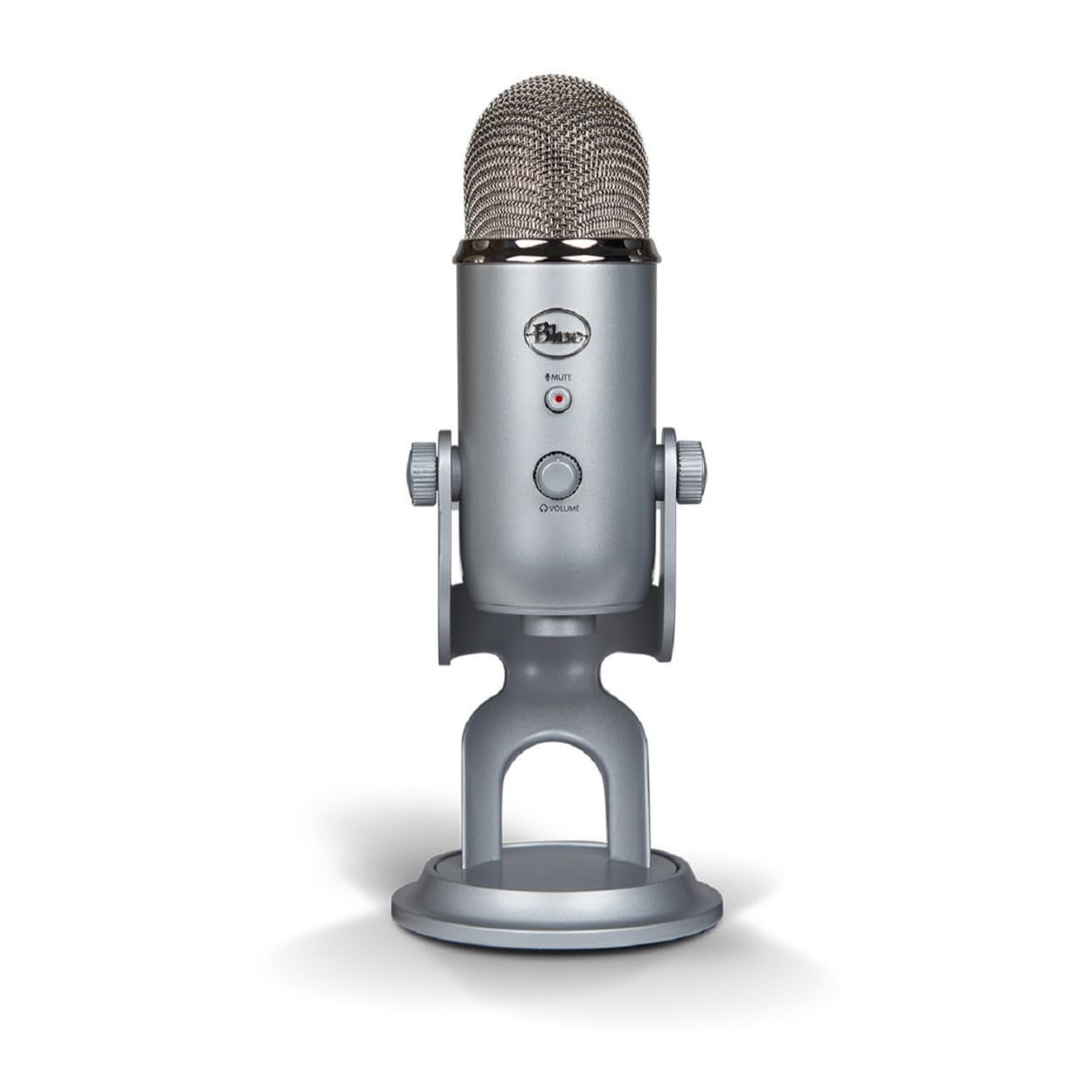
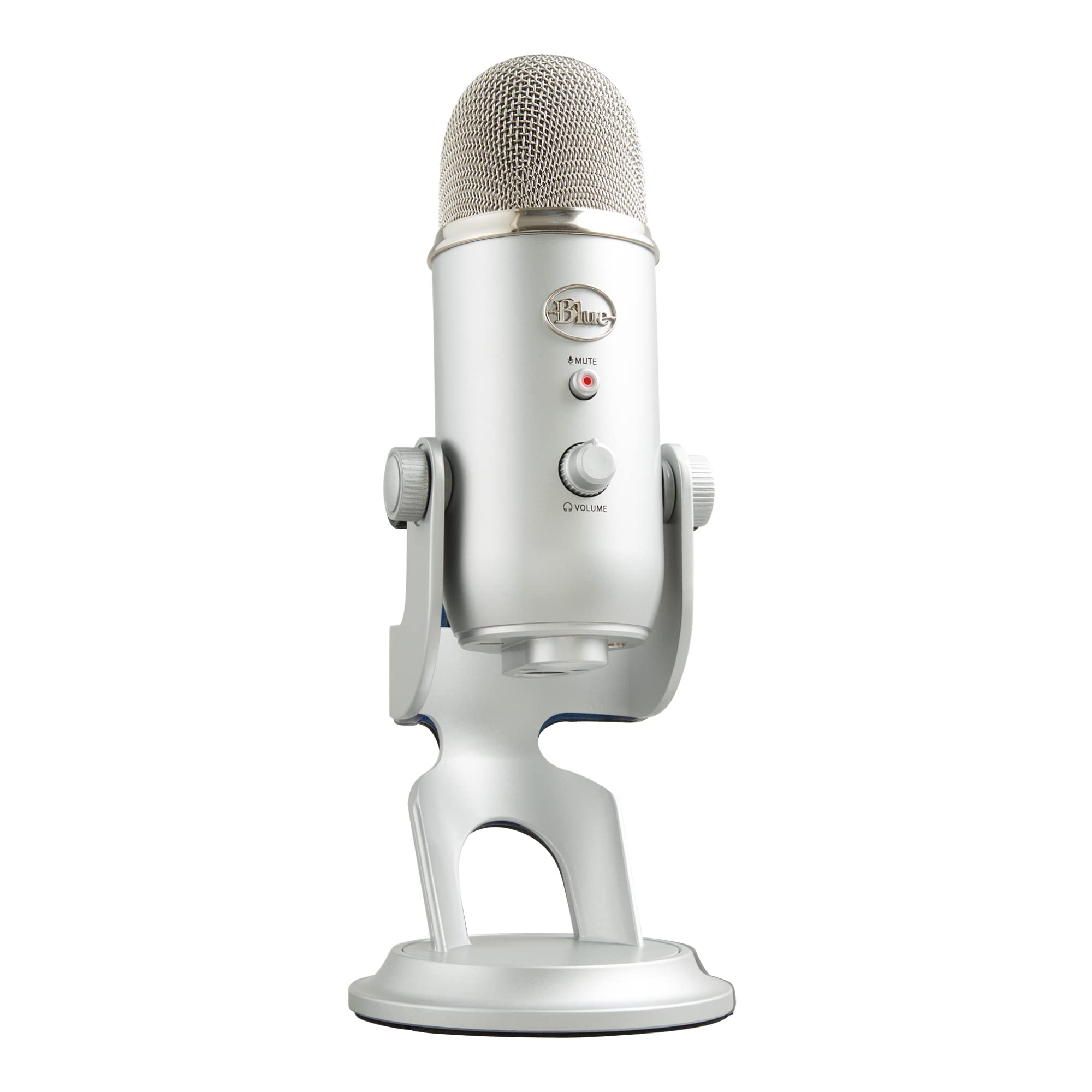
The Logitech Creators Blue Yeti USB Microphone is a top-tier, multipattern condenser mic designed for professional-grade streaming, podcasting, and recording. Featuring a custom three-capsule array, onboard audio controls, and Blue VO!CE software, it offers unparalleled sound clarity and flexibility. Its durable metal build and plug-and-play USB connectivity make it the go-to mic for creators seeking broadcast-quality audio with effortless setup.


| ASIN | B002VA464S |
| Antenna Location | Gaming, Podcasting, Recording, Streaming |
| Audible Noise | 100 Decibels |
| Audio Sensitivity | 120 Decibels |
| Best Sellers Rank | #28 in Musical Instruments ( See Top 100 in Musical Instruments ) #1 in Multipurpose Condenser Microphones |
| Brand | Logitech for Creators |
| Built-In Media | Yeti USB mic with desktop stand, USB cable |
| Color | Silver |
| Compatible Devices | Amplifier, Headphone, Personal Computer |
| Connectivity Technology | USB |
| Connector Type | USB |
| Customer Reviews | 4.6 out of 5 stars 60,936 Reviews |
| Enclosure Material | Metal |
| External Testing Certification | Grau 1, Não aplicável |
| Frequency Range | 20Hz - 20KHz |
| Frequency Response | 22 KHz |
| Global Trade Identification Number | 00133588900544, 00836213001950, 10097855160543 |
| Hardware Platform | PC, nintendo ds |
| Impedance | 16 Ohms |
| Item Dimensions | 4.9 x 4.7 x 11.6 inches |
| Item Height | 11.6 inches |
| Item Type Name | Blue Yeti USB Mic for Recording & Streaming on PC and Mac, 3 Condenser Capsules, 4 Pickup Patterns, Headphone Output and Volume Control, Mic Gain Control, Adjustable Stand, Plug & Play - Silver |
| Item Weight | 3.2 Pounds |
| Manufacturer | Blue Microphones |
| Microphone Form Factor | Microphone Only |
| Model Name | YETI |
| Model Number | 988-000103 |
| Number of Batteries | 1 Lithium Ion batteries required. |
| Number of Channels | 1 |
| Polar Pattern | Multipattern |
| Power Source | Usb Microphone |
| Recommended Uses For Product | Gaming, Podcasting, Recording, Streaming |
| Signal-to-Noise Ratio | 100 dB |
| Special Feature | USB |
| UPC | 133588900544 733723132528 836213001950 097855160546 733723132597 733723132610 667977779119 |
| Warranty Description | 2-Year Limited Warranty |
K**N
Picks up everything…even from another room.
This is my second Blue Yeti, and honestly, I’m impressed all over again. My first one was one of the originals, bought somewhere around eight years ago, back when these things first hit the scene. That mic lived a rough life. It survived backpack rides, road trips, and more “oops” moments than I’ll admit in print. It finally gave out after years of abuse, but considering what it went through, I can’t even be mad. The new one sounds just as good, maybe better, and the software is a nice upgrade. The voice filters are great for anyone who wants to sound like they know what they’re doing. There’s a broadcaster setting that gives you that warm “I host a late-night talk show” tone, plus podcast and voice-changer options. You can sound like a pro, a robot, or a robot hosting a podcast if that’s your thing. Durability-wise, this mic still feels like a tank. You can toss it in a bag, haul it to events, or set it up in your living room studio, and it’ll just keep doing its job. My one gripe is the mini-USB port. It’s 2025. We have self-driving cars and refrigerators that talk, but somehow this mic is still rocking mini-USB. Most people under 25 probably think that’s a fossil from a museum. I’m sure it made sense years ago, but come on, Logitech… it’s time. Sound quality? Amazing. It picks up everything. And I mean everything. Roommate sneezing three rooms away? Got it. Dog sighing dramatically? Crystal clear. Great for streaming and recording, occasionally hilarious for live streams. Voice isolation handles all of that as well as a really loud air purifier in the same room I stream in. Ok algorithm what do you mean by fit? See the algorithm wants me to mention certain aspects, fit is one of them. Umm it fits on my desk. Fits nicely on a standard boom arm. I think it even came with European and US mic stand adapters If you want a mic that lasts, is affordable, sounds incredible, and occasionally captures your neighbor microwaving dinner, the Blue Yeti’s still the one to beat. Oh… I got the blue one but there’s more colors available. It’s not a blue yeti just because it is blue. My first one was black..
D**N
Great Mic, But Read This If Upgrading From a Cheap Mic
I'll join the long list of reviewers singing the praises of the Blue Yeti microphone. My online demo recordings have taken a big jump in quality since I started using it. (Update March 2012: two different people have asked me "Why does your video sound so good?" and "How do you get your voice to be so clear?" Most people don't understand the importance of audio quality, and thus microphone quality, when creating video.) If you are upgrading from a cheaper microphone, you will immediately discover some challenges when using a professional mic like the Blue Yeti. Because the yeti picks up so much more sound, including many types of noise, your first recording may actually sound worse than before! Here are some tips for solving these problems. There are two types of unwanted noise, contact noise (made when you bump your desk, the mic stand, or the cord) and background noise. The best way to eliminate contact noise is by using a shock mount. Be sure to get one that will handle the Blue Yeti's 3"/75mm diameter. As an alternative, find a piece of thick, dense, soft foam (or a thick pillow!), set that on your desk, and set the Yeti in its included stand on top of that. This is bulky and imperfect, but cheap. Route all the cords where you won't bump and tug them while recording. Blue Microphones also sells a shock mount for Yeti called the Radius Blue Microphones Radius Microphone Shock Mount . External noise is different. Pros record in a sound-deadened studio, which is out of most people's reach. But you can get 80% of the way there for free. Here's what I do: Start in a carpeted room, not one with hardwood or concrete floors. I use a laptop because they are quieter than desktops. Put the laptop on a pillow, and put another pillow in between the laptop and the mic, so you have to reach over it to get to the keyboard. These two pillows minimize any laptop fan noise. Now stretch a comforter over your head, so that it drapes down to the sides and front and back (the front and back are most critical). You will look silly, especially if you are at work, but the comforter will effectively deaden most of the outside noise and echos. I lean three poles up against walls and furniture, then drape the comforter over them. Turn off noisy appliances (air conditioner, heater, refrigerator), send the kids or coworkers out to play, and you will have a somewhat soundproof booth with minimal echos. Trust me, it works, but I do record at home instead of at the office. Next, play with the recording patterns on the Blue Yeti. I use cardioid, which picks up just from the front. But you may get richer sound from the stereo or bidirectional patterns. Omnidirectional will likely just pick up more noise, but give it a try. Now that you've eliminated the noise, you'll want to create the best recording possible. Here's how: First of all, stand up and face forward or even a bit upward when recording, to open up your vocal cords. Standing up has a bigger impact on your voice quality than anything else you can do. Next, take deep breaths, slow down, and pause in between sentences or at logical points. These pauses are easy to edit out later, and they give you easy places to cut out bad takes to replace with good ones. I routinely need to record each sentence or passage 2-3 times to get it right. Speak right into the mic, from just a few inches away. This boosts your volume with respect to any background noise level, and improves the quality of the recording. If you listen to the video review attached here on Amazon by the custom tailor guy, you'll hear how much better his voice sounds when he briefly moves the mic close to his face (at 4:30 on the timeline). Next, use a pop filter. This gizmo puts a piece of fabric or screen mesh in between your mouth and the mic to filter out the awful puffing sound made when you say words like "pop." Try it with your mouth close to the mic and see. I use the Blue Microphones Universal Pop Filter , which is only a few dollars more than the cheap black plastic ones, but is made of stainless steel and works great. The Blue Yeti delivers awesome sound quality. With these tips you'll be able to take full advantage of what it can do. Good luck!
V**L
Exactly what I needed
I bought this to film some sewing tutorials for youtube. I'm also a big fan of asmr and played around with it and surprisingly got good results! It's easy to connect and I just bought some wind covers to help with "P" sounds from peaking the volume. I feel like there are a lot of jokes about these mics being meh, but unless you're someone who works with audio and can hear the minor differences, I think this is a very good mic for the majority of people. For asmr, streaming, or nice sounding voice overs I really recommend it!
S**T
a very nice microphone for the money. Usb is plug n play operation
a very nice product . it's big, it's heavy and it works really nice
M**S
Good sound, but a bit overpriced and a bit overhyped
Purchased the white out edition of the mic and paired it with a white mic arm and white pop filter. Looks really badass all together. Matches my PC build. Though I have quite a few negative things to say about the Yeti, I am just trying to bring the hype about this mic down a bit. It isnt the BEST option for a USB mic, but it is a pretty decent option. If you're on a budget, get the Snowball. Otherwise, this mic is still a good choice. Especially for a USB mic. Context: I purchased this mic for gaming. Not for making videos on YouTube, making podcasts, or recording music. I keep the mic pretty close to my face (probably 3-5 inches away). I initially expected keeping the mic that close to my face to keep noise isolation to a minimum as I want to sound good to my friends in Discord and people in my games. Blue Yeti is a big mic, so keep that in mind. You'll need a lot of space in front of you if you plan on playing games with the mic sitting between you and your keyboard on the stand that comes with it. You should definitely consider an arm to keep desk space free. This will also reduce keyboard noise. My bedroom (where I use this mic) has wooden floors and is fairly spacious. So that means there's a bit of echo normally. The mic is very sensitive to background noise. Even with the mic close to me (and the gain turned very low), it picks up echo. It isn't an annoying amount of echo, but there certainly isnt great noise isolation. I can only imagine how this thing sounds with it far away from you. It also seems to pick up keyboard noise. I own a membrane keyboard (Razer Deathstalker Chroma), so its surprising that it picks up keyboard noise. I'm sure a mechanical keyboard would be quite audible. I'm sure if your room has lots of things to soak up any echo, noise isolation wont be an issue. But I'm not about to put foam padding all over my walls just to get better noise isolation. This also means that background noise (such as loud roommates) is easily picked up by this mic. This mic picks up more bass than I'm used to, so it'll make your voice sound a little deeper than it actually is. It still does sound quite clear, its just bassier than I'm used to. My friend also described that, compared to the headset I previously owned, that this mic has a lot of reverb (not really echo). I dont know if it's the arm that the Yeti is sitting on vibrating because of my voice, or if its because of the Yeti itself. I'm willing to bet it has something to do with the Yeti. If you're looking for a good USB mic, you should consider either the Blue Snowball or the Blue Yeti. My roommate owns a Snowball, and the cable broke not too long after he bought it (which is a drawback to that mic). This mic, however, doesnt seem to have that headache of a cable problem (no extreme bends necessary in the cable). Other than that, Snowball (first impressions) has better noise isolation than this mic, but Yeti sounds a bit clearer overall in my opinion. He keeps his mic much farther from his face than I do and I hear less echo than the Yeti picks up. Snowball is also at a better price point than the Yeti. Idk if the Snowball has a headphone jack, but you can plug some headphones into the Yeti and test the mic noise levels in them. Windows recognizes the Yeti as both speakers and a microphone, which means you can play system sound through the Yeti and plug your headphones in through there as well. That way, you have an instant feedback loop on whether you are being too loud or not. Something I miss about my headset (I switched to this mic and some HiFi headphones for better audio quality all around) is that I could mute myself without making any mic noise. That allowed me to eat and talk at the same time without having to stay muted the entire time or go into Discord and click the software button. I could mute myself quietly, eat, and unmute myself quietly. Doesnt disturb anyone I'm in discord with at all. This is particularly useful when playing audio queue dependent games that also require communication (such as CS:GO). The Yeti makes a loud plastic-clicky noise when you mute it that WILL be picked up. So, no discreetly muting yourself. That's a nitpicky detail for me to complain about, but that's really the only thing that bothers me a great deal. So push to talk or just dealing with it are your only options there. The wire that comes with this mic is a bit short. It doesn't reach when I try to feed the wire through the arm clamped on the left side of my desk, behind my monitors, and then to my PC on the right side of my desk. Be prepared to purchase a USB cable extender if you plan on playing games with this mic (especially FPS games where the arm needs to be on the left side of your desk as to not hinder mouse movements). So overall, I think this mic is a bit overhyped and a bit overpriced. But I dont really regret my purchase. I'm a bit disappointed by it, but not disappointed enough to return it or anything. Sure, with the money I paid for this, I could've gotten an XLR setup and upgraded the mic down the road to something that sounds really good. However, an XLR setup introduces more wires that I'd rather not deal with. The Yeti sounds good and only has one wire to deal with. All the different modes on the mic (front, back and front, sides, etc) are cool, but a casual dude like me doesnt have a use for that. I'd say an XLR setup might get you better quality but with more wires and (down the road) more money, and the Snowball seems to be priced a bit better than this, but you wont regret your purchase if youre looking for a USB mic and you get the Yeti.
A**R
Great Microphone, Adequate Recording Volume At Last
The MOST IMPORTANT feature of this microphone that made me very happy, after considerable problems with other microphones that interface with a computer via USB, is that the volume of the input recording signal sent to the computer is more than adequate for almost all recording on a computer (using for example the free program Audacity). All other solutions for finding or adapting quality microphones for use to record on a computer via USB do not have a strong enough signal sent from the microphone to the computer via a USB port for sufficient recording volume and flexibility. For example, the USB Blue Snowball microphone, which is substantially cheaper and made by the same company as the Yeti, has excellent sound quality (although not as good as the Yeti), but sends such a very weak signal to the computer that it is really only useful in recording very close to the microphone or for recording very loud sound sources. The cables that you can buy that use USB to power conventional XLR microphones such as those made by Shure and allow them to be used for recording on computers via the USB port are even worse - the signal sent to the computer is much, much, too weak and in my experience too full of static for useful recording. These other options for USB recording solutions I bought first, tested, and then returned. I am now happy with the Yeti I got as a replacement. The Yeti, unlike these other USB computer port recording solutions, also has on-microphones recording volume control that is much easier and faster to use than adjusting volume via a computer program. The Yeti has great sound quality, and also a built-in microphone jack with on-microphone volume control that allows you to hear input without the processing delay common through a computer jack - which is aids quality recording over background music quite a bit. I have a foam ball over the microphone and put it on a dense foam mousepad to isolate it from table vibration and it doesn't seem to have much problems with pickup of unwanted noise like some people have commented. I was first attracted to the Yeti primarily for the four different modes of recording possible - the highly directional cardioid pickup pattern characteristic of most microphones, as well as bidirectional, omnidirectional, and stereo modes (note that the free program Audacity makes it easy to convert any mono track to one that plays through two speakers but it does not allow recording of differential source volume like the stereo mode of the Yeti microphone). The microphone therefore serves a number of recording needs, and no other single USB microphone except those made by Blue seem to serve these multiple needs, and of those made by Blue only the Yeti seems to have sufficient recording volume. Virtually all, if not all, other single microphones of any type made by any other company: USB or XLR or jacked, also do not serve these multiple needs. The omnidirectional mode of the Yeti, in particular, was essential for my uses of recording group music, and the stereo option refines even this omnidirectional recording capability in ways that I did not anticipate and which surpassed my expectations. Very good XLR microphones such as those made by Shure can be used through a 3.5mm input jack on a computer, but only when both external power and pre-amplification is provided using an expensive box (about $90) such as the Modeling Pre-amp made by Behringer. Using the Behringer box with Shure microphones to record on a computer via the 3.5mm jack is something I have done in the past with good success, but my newer computer has only a single 3.5mm jack serving either speakers or microphone, but not both at the same time, and therefore requires a USB microphone for simultaneous connection of wired devices for microphone input and speaker output, which is why I was forced into the search that lead to me buying the USB-connected Yeti. Unfortunately, it seems there is no power supply/preamp combination, even my Behringer, that can be use between an XLR or jacked microphone and a USB port. Note that this is a BIG microphone most suited for use on a desktop or on a microphone stand (it has a screw hole for attachment). It will obscure much of your head if hand-held. Finally, I note that all my experience has been with a Windows computers, using two different Windows operating systems (XP and 10) and two different computers, and that the results for all microphones I mentioned were the same on the two computers and for all of the three USB ports built into each of those two computers.
O**T
Nice microphone
This product works wonderful! Easy setup, easy use, and you can even connect your headphones to it. Definitely recommend!
A**N
Best voice recording quality out there.
It looks ugly and too big; but oh boy, its quality is unparalleled. I tried multiple other brands in the market (which look prettier) but can’t sacrifice quality over face. Nothing beats this one. Noise cancellation is perfect and my voice is super crisp. Highly recommend.
Trustpilot
Hace 2 semanas
Hace 1 mes



