We remain fully operational. Our teams are working around the clock to ensure your deliveries continue safely.

Descargar la aplicación


Servicios al cliente
Sobre nosotros
Copyright © 2025 Desertcart Holdings Limited
Descargar la aplicación
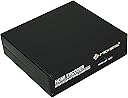
![J-Tech Digital HDMI H.264 IPTV Encoder Livestream with Audio Embedder 1080P 60Hz for Online Streaming Platforms Control App Available [JTECH-ENCH4A]](https://m.media-amazon.com/images/I/61LO51HlPML._AC_SL3840_.jpg)
Buy anything from 5,000+ international stores. One checkout price. No surprise fees. Join 2M+ shoppers on Desertcart.
Desertcart purchases this item on your behalf and handles shipping, customs, and support to Peru.
🚀 Elevate your livestream game with pro-level control and reach!
The J-Tech Digital HDMI H.264 IPTV Encoder is a powerhouse livestreaming device supporting Full HD 1080P at 60Hz, with the ability to broadcast simultaneously to 4 platforms. It uniquely embeds analog audio into HDMI video streams, offers versatile compression formats (H.264, MJPEG), and features a dedicated control app for on-screen customization. Backed by a one-year warranty and lifetime tech support, it’s designed for professionals demanding reliable, high-quality streaming.


| ASIN | B08X31NFTM |
| Best Sellers Rank | #190,212 in Electronics ( See Top 100 in Electronics ) #752 in Streaming Media Players |
| Brand | J-Tech Digital |
| Color | Black |
| Compatible Devices | Television |
| Connector Type | HDMI |
| Current Rating | 4 Amps |
| Customer Reviews | 3.8 3.8 out of 5 stars (6) |
| Finish | Hdmi |
| Item Weight | 0.5 Kilograms |
| Manufacturer | J-Tech Digital |
| Model Number | JTECH-ENCH4A |
| Number of Items | 1 |
| Number of Ports | 1 |
| Package Quantity | 1 |
| Power Plug Type | Type A - 2 pin (North American), Type B - 3 pin (North American) |
| UPC | 810058920201 |
| Unit Count | 1.0 Count |
| Warranty Type | One Year Manufacturer Warranty |
B**O
This encoder is fantastic
I am currently using this to view my security cameras from any Smart TV in my house. It is very easy to configure, and I use VLC Player on the Smart TV to view the RSTP stream. I liked it so much, I convinced my boss to purchase the 8 stream version for the office.
A**J
Not worth a premium
Works, good build quality, performance is not stable.
D**S
2 bugs, but gets the job done, awkward start/stop stream.
Update 12/14/22: so you don't actually have to reboot for the stream to stop, the reboot message is kind of a misnomer. However, I have noticed a new issue: If I set the main stream to 4500 kbps and 60 FPS, the cpu usage on the device jumps to 100% and from Twitch's perspective, the stream becomes unstable. I think a more realistic setting is same bit rate but only stream at 30FPS. Also, I'm seeing issues where the device is connected to my Windows PC but the HDMI light is not ON and its not broadcasting. Re-inserting the HDMI cable solves it but it makes me wonder if some of the broadcast issues I've recently seen are related to the device. needless to say, the device has served me very well and it was def worth the investment Update 4/30:. There's a couple of bugs. 1: you can't stream with HLS over 4500 kbps, the device reboots after about a minute, over and over and resets the system time. 2. The 'sync to system time' feature doesn't work. It changes the time but then reboots and then reverts to the factory set time in 2018. These aren't huge issues, but they should be noted. J Tech is supposedly looking into this but I feel like it probably won't be resolved. This device is almost perfect. The setup is super easy and you can be live on Twitch or YouTube in minutes. But it feels like it's not really made for that kind of thing. Here's why: there's no start/stop function for your stream. Instead, you must enable/disable it in the GUI and then....REBOOT. And then to stop streaming... log back into the web interface and disable it and then... REBOOT. it's really clunky. It leads me to believe this product isn't really designed to change streaming settings often. Here's the thing: if you're buying this to go live on YouTube or Twitch, this will work. But starting and stopping your stream will be kind of a pain. I bought this because I did not want to use OBS because it's a CPU. I did appreciate the US based support and the quick response. post-update: it turns out that you don't actually have to reboot when updating settings, so that's a plus.
G**F
It’s many options!
Great device this is my third one! Use one for myself, one at the church, and one for the Volga City Opera House!!
J**S
purchased to stream church services through YouTube
These are replacing the more expensive Vidiu Teradek units I have. The Teradek interface keeps on freezing up. This video encoder fit what was needed for a lot less. The J-Tech Digital H.264 web interface is limited and doesn't offer a great way of starting and stopping a stream. To get around this issues, I purchased an IP surge protector. When each congregation wants to start or stop their broadcast, they just log into the surge protectors IP address and turn on or off the J-tech's power. This removes the interface complexity and with a 10 second boot up time, the J-tech box is up and broadcasting.
Trustpilot
Hace 2 meses
Hace 2 semanas