
🚀 Dive into VR without breaking the bank—experience the future in your pocket!
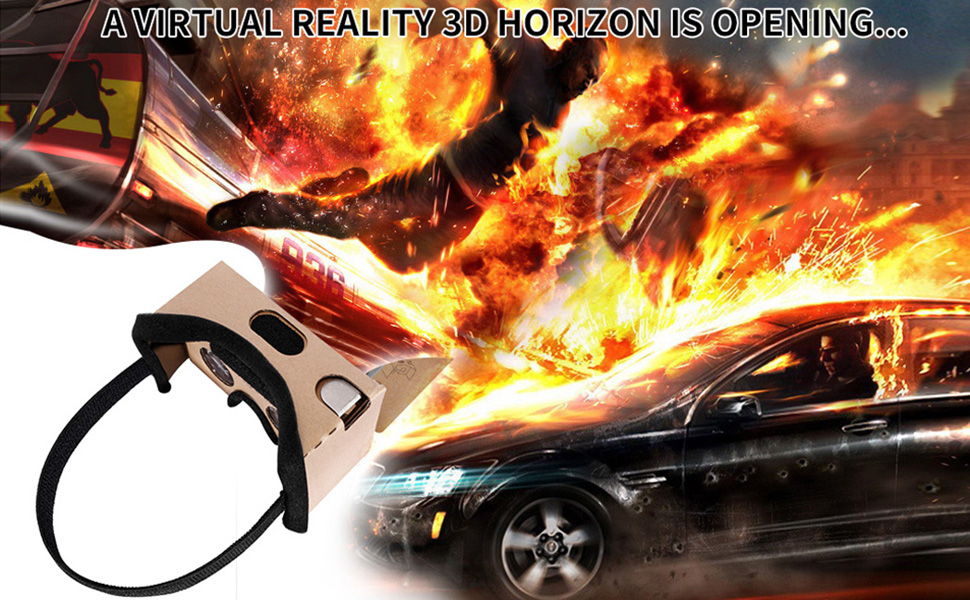
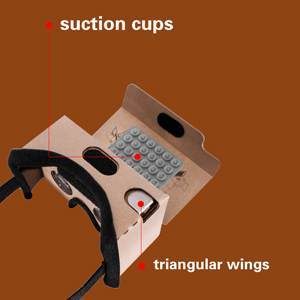
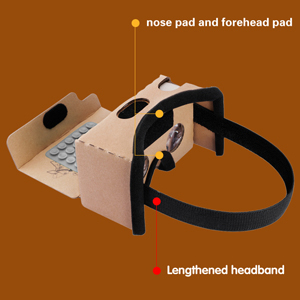
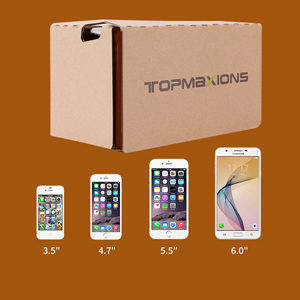
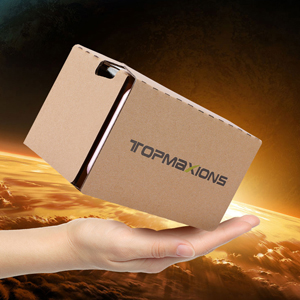
The Topmaxions Google Cardboard VR headset offers an affordable, easy-to-use virtual reality experience compatible with most smartphones between 3.5 and 6 inches. Featuring comfortable sponge padding, a secure suction cup phone holder, and a simple DIY setup, it delivers immersive 3D movie and gaming experiences for both Android and Apple users. Perfect as a budget-friendly introduction to VR technology.

| ASIN | B01C2PA0KK |
| Best Sellers Rank | #13,168 in Cell Phones & Accessories ( See Top 100 in Cell Phones & Accessories ) #7 in Cell Phone Virtual Reality (VR) Headsets |
| Customer Reviews | 3.5 3.5 out of 5 stars (3,002) |
| Date First Available | February 22, 2016 |
| Is Discontinued By Manufacturer | No |
| Item Weight | 5.1 ounces |
| Item model number | FBA_TT9LK |
| Manufacturer | Topmaxions |
| Package Dimensions | 6.69 x 3.74 x 2.4 inches |
B**N
Amazing for the price
These things are amazing for something that only cost $6. I'm terrible with technology so I wouldn't have bought a VR headset otherwise, in case it was too annoying to figure out how to use. This requires no tech savvy, just find a VR video on youtube or whatever, stick your phone inside the cardboard box, and look into them like you would any other pair of googles. I took the advice of another reviewer and downloaded the "Within" app, and the videos on there worked way better than what I could find on YouTube. So if your having trouble with the quality of the YouTube ones, definitely check that out. Overall, not something I'd use everyday because clearly, it's made out of cardboard so not the most comfortable. But it has shown me how cool VR technology can be, so I'm already considering buying a better headset. Which should really be your purpose for these - just drop the $6 you wouldn't give a second thought about spending on coffee and a donut on these, but instead of getting coffee and a donut, you get to see how it would feel to be in a rocket taking off for the moon, then opening the capsule and going on a space walk. (That was one of my favorite videos, on the Within app.) Or there's jurassic park ones on YouTube that are pretty cool. There's something about it that's super relaxing too (unless you watch the horror vids, which I'm definitely too chicken to do.) But yeah, it blocks out the rest of your vision so you're fully immersed in the video, maybe that's why it's much more relaxing than watching Netflix in your bedroom. You'll still be watching videos in your bedroom, but for $6 you can somewhat convince your body that you're taking a stroll through the rainforest. If I get a more comfortable headset I'll definitely use it to relax before bed. Just get the darn thing man, have I mentioned it's only $6?
S**Y
Additional App Required
There are NO instructions to tell you what you need to know about these so: 1. You need to download the Google Cardboard app for these to work correctly. You can view other VR footage but ONLY if they have the GC feature enabled. The lenses cannot be adjusted to accommodate pupillary distance (something other pricier goggles have been able to include) which is one reason the app is required. 2. Not too hard to figure out how to origami these but I had only watched 2 VR videos trying to figure out why my vision wouldn’t line up before I decided to return them and as I was unfolding it the phone holder just tore off with barely a touch. That's how I discovered the app bc now it was forever mine. VR goggles reportedly can cause headaches, nausea, & visual disturbances so this is a very cheap, entertaining test drive.
P**N
Works with most videos
I'm an older person that was looking for something cheap for my very first VR headset. So I ordered this headset. This is a very good beginner headset. Most videos work. Some videos don't work. I looked it up to see why. It's because some videos don't match up with your pupils. I don't really understand this. But that's why. This headset don't have a way to adjust it so you can see the video. So I just watch videos I can see very well. I even installed a bunch of apps that work very well with this headset. This headset hurts your nose. So you only can use it as long as you can stand it on your nose. This is do to the weight of your phone, not the headset itself. I'm sure if you have a light weight phone it wont be as bad on your nose. Oh and the back came off while I was putting it together. But no problem. I just taped it back on with duct tape. I will be ordering a more expensive one next month. I will keep this one as a backup when I get another one.
M**T
Does not perform the way it should
The lenses inside this Google hardboard are either not the kind they should be or the dimensions of the viewer are off. I've had two Google cardboards before and this one did not work. It was not possible to have a clear image. Seller did offer a refund.
V**L
Google Cardboard for iPhone is An Amazing and Inexpensive Way for People to Test Out the Current Virtual Reality Craze!
I got this for my iPhone 6+ after learning that there are now free apps available for it! It's really cool!!! I'd tried an Oculus Rift once and was blown away...so I have some basis for comparison. What these inexpensive Google Cardboard VR accessories can do is really amazing given the price and the fact that it's essentially just a piece of cardboard with 2 lenses attached! One little aspect I think is really cool is the 'button' that you use to invoke actions on menu items. It's a cutout piece of cardboard that's covered on both the top and bottom with some touch screen activating material. So at the top of it...the end you press with your finger, you can tell that it's the button just by feel alone. On the other end when you press down with your finger a longer piece of cardboard is pushed against the screen and because it has this fabric at the tip of it your desired action is invoked. You control its position by this little arrow that moves around on the screen. It's pretty brilliant! Some quick steps to using it are. First download and tap to open the Google Cardboard VR app. Then place your iPhone into it and close it with the Velcro that's attached. Hold it up to your eyes and move your head around to see different areas. As you move your head up and down different parts of the screen are displayed and at some point, depending upon the app, you'll see some controls or menu items to explore further. Then use the cool little button I described! This is simple enough for adults to use!
A**.
Blurry
Not bad for the price, it is blurry tho, head strap works really well, design is uncomfortable, really easy to use, I will recommend it to people that want to have fun in the VR world for just sometimes, definitely not recommended for people like me that wanted to play a game on my pc, the experience won’t be that great.
M**R
I was interested in purchasing something that can view VR videos and found out about Google Cardboard. Decided to order this product. However because I was unfamiliar with this type of technological gadget, I really struggled to put it together and had to look to YouTube videos for guides and instructions. The product didn't come with a QR code either so I had to find the correct one online. After setting up correctly, I'm glad the product actually works. The quality is alright, considering the price compared to other VR headsets. However it is a little bit uncomfortable to wear so I would not recommend this for prolonged use. I think this is an okay start for anyone that is curious about Virtual Reality technology and want to see what it is like without spending too much money. My recommendation is to people that are looking to purchase is to do thorough research on Google Cardboard before buying.
Trustpilot
Hace 3 semanas
Hace 2 semanas



