We remain fully operational. Our teams are working around the clock to ensure your deliveries continue safely.

Descargar la aplicación


Servicios al cliente
Sobre nosotros
Copyright © 2025 Desertcart Holdings Limited
Descargar la aplicación


🚀 Unlock Gigabit Power & Coverage — Your Home’s Ultimate WiFi Upgrade!
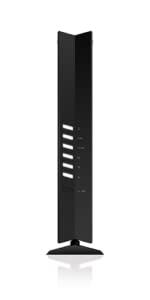
The NETGEAR R6700AX is a cutting-edge WiFi 6 router delivering AX1800 speeds up to 1.8 Gbps, covering 1,500 sq. ft. and supporting 20+ devices simultaneously. Designed for small to medium homes, it features advanced security, easy setup, and four Gigabit Ethernet ports, ensuring seamless connectivity for streaming, gaming, and remote work.


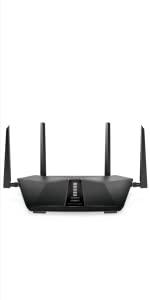


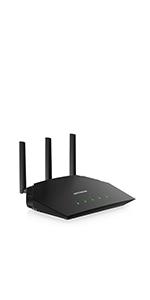
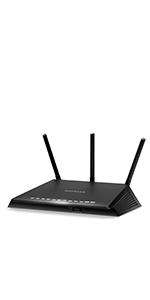
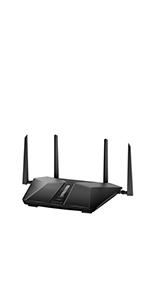


| ASIN | B08KTXG8Q5 |
| Best Sellers Rank | #3,301 in Computers & Accessories ( See Top 100 in Computers & Accessories ) #130 in Computer Routers |
| Brand | NETGEAR |
| Color | Black |
| Customer Reviews | 4.4 4.4 out of 5 stars (5,846) |
| Date First Available | November 17, 2020 |
| Item Dimensions LxWxH | 14 x 11 x 4 inches |
| Item Weight | 0.01 ounces |
| Item model number | R6700AX-1AZNAS |
| Manufacturer | NETGEAR |
| Operating System | Microsoft Windows 7, 8, 10, Vista, XP, 2000, Mac OS, UNIX , or Linux. Microsoft Internet Explorer 11 or higher, Microsoft Edge, Google Chrome 55 or higher, Firefox 45 or higher, Safari 10 or higher |
| Product Dimensions | 14 x 11 x 4 inches |
| Series | R6700AX-1AZNAS |
| Voltage | 100240 Volts |
| Wireless Type | 802.11ax |
R**R
Raw Uncut Gigabit Baby!
I've been paying for Gigabit internet for over a year and now I finally have it. The best $66 I've spent all year. Setup is incredibly easy and intuitive. Tip, don't download the app for setup just use the web link. The design is sleek and can be mounted anywhere. I live in a 1 bdrm, 670 sqft apartment, in an all concrete building, and the wireless connectivity is strong throughout. No dead spots, no loss of speed, just pure raw uncut Gigabit baby. This is best value Gigabit router available.
S**S
Works great, fast delivery.
Our previous router died, this one delivered next day. Easy setup, works well, very happy with it.
M**N
A good, very basic router
I ordered this router to replace the Spectrum router I was paying $5 a month for, now having gone to $7 a month. It’s the router that looks like a charred meatloaf, standing on its’ head. It’s nothing special, so finding a substitute was like hurdling a very low bar. This R6700AX is an exact clone of the NETGEAR RAX10. The specs are identical, but not the price. Why, I don’t know. Of note is that this router omits the “NIGHTHAWK” designation, which, aside from generally lower speeds and area coverage, also lacks a USB port and an on/off switch on the back. These are not deal breakers though. My networking demands are quite modest, so I didn’t need a gaming level router. One Dell workstation, two tablets, and a 2000 square foot house, where all the activity is confined to a single quadrant. After reading the user manual, downloaded from the NETGEAR website (146 pages, does not cover NIGHTHAWK app), I opted to do a website interface, desktop installation, rather than using the highly touted NIGHTHAWK app. Though the NIGHTHAWK app has a lot of appeal for its’ simplicity and features, I wanted more in-depth control of the routers options than the app provided. For example, by electing to choose the “Smart Connect” feature, the router automatically chooses which band, the 2.4 GHz or 5 GHz, that gives the best performance for each particular device that’s connected. You can still choose to configure each band separately by assigning a different network name (SSID) to each band (and that configuration is generated, by default, in your setup procedure). But with only two devices connected at a time, the “Smart Connect” option did not offer any benefit to me. I actually went several steps further and disabled the 2.4 GHz band and both Guest Network bands leaving only the 5 GHz band active for my two tablets. A word of caution for either of these connection preferences. Unlike some other NETGEAR routers, neither option will disable the WPS feature. That’s a potential security threat lurking under the radar. The installation process was simple and straight forward. Just sit back and answer the questions, click next, page by page, and you’re done. I chose the automatic set up option, the Setup Wizard, with the ability to go back through and tune the features important to me. This is done using the routers web interface, for which you must sign back into with your newly created password. There are a couple of You Tube videos, search: TONOR NETGEAR R6700AX SETUP, and search: BROK3N1MAGE NETGEAR NIGHTHAWK, that can give you a visual “heads up” as to how the router interface is laid out beforehand. I found them helpful. And the results were, well, underwhelming. LAN speeds to my workstation were almost identical to the Spectrum router at 366 Mbps download and 12 Mbps upload, with an assigned 300 Mbps service from Spectrum. Wi Fi speeds for the tablets were about 10% faster with the R6700AX, but if not for doing a speed test, I would not have detected any difference. Overall, I am satisfied with this router. Price, features, speed and coverage are all adequate for my minimalist inclinations. I also opted for the 4-year Asurion protection coverage. If the thing blows up before its’ time, it’s replaced. If I get past 11 months, it will pay for itself in monthly rental fees.
D**R
Dependable performance for everyday internet needs.
With dual-band AX1800 speeds, it delivers up to 1,200Mbps on the 5GHz band and 600Mbps on the 2.4GHz band, ensuring smooth performance for most households. Mine is an old farmhouse with three levels, and the coverage reaches all the areas. The Nighthawk app simplifies setup and management, allowing users to monitor their network and adjust settings effortlessly. It includes WPA3 encryption and optional NETGEAR Armor for enhanced cybersecurity (though the latter requires a subscription). It does have a slightly higher latency compared to some competitors in its class. Okay for household use. While it may not have all the bells and whistles of higher-end models, it delivers dependable performance for everyday internet needs.
S**N
A great router for the price
I upgraded from an older NETGEAR router and this definitely improved every aspect. Set up was very easy with the Nighthawk app. The app itself is very clean and easy to understand. Upgrading from an old NETGEAR router, the coverage is noticeably better. This router reaches from one side of the house to the other easily. However, the 5GHz struggles at the other end of the house and often disconnects, so 2.4GHz is the better option. My wireless security camera used to disconnect with my old router, but now it holds a stable connection on 2.4GHz easily. I ran a speedtest using the Nighthawk app, and speeds are extremely consistent and very fast with minimal ping. Lastly, the 2.4GHz connection reaches into my backyard very well. This is a solid router, especially for those on a budget.
F**O
Muy fácil de instalacion buen material buen acabado
Trustpilot
Hace 4 días
Hace 1 semana