We remain fully operational. Our teams are working around the clock to ensure your deliveries continue safely.

Descargar la aplicación


Servicios al cliente
Sobre nosotros
Copyright © 2025 Desertcart Holdings Limited
Descargar la aplicación

🤖 Build, Code, Conquer: Your Smart Car Robot Adventure Awaits!
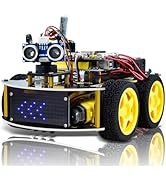
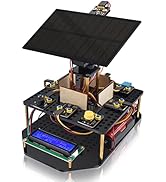
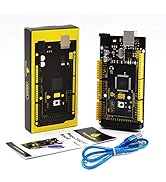
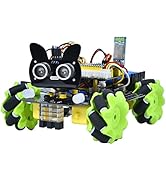
The KEYESTUDIO Smart Car Robot is a 4WD programmable DIY kit designed for Arduino Uno R3 enthusiasts aged 15+. It offers multiple operation modes including IR control, Bluetooth app compatibility, auto-follow, obstacle avoidance, and line tracking. The kit includes all mechanical parts, tools, and detailed assembly instructions, making it ideal for STEM education and hands-on programming practice. Durable and versatile, it supports in-depth learning and creative coding projects.

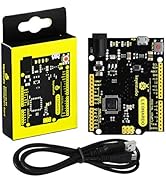
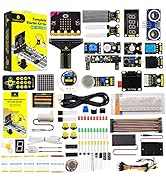
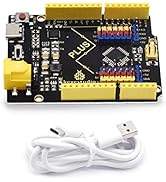
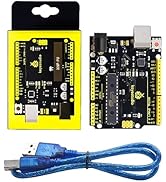

| ASIN | B08276N3D9 |
| Best Sellers Rank | #94,889 in Toys & Games ( See Top 100 in Toys & Games ) #129 in Remote- & App-Controlled Robots #1,428 in Kids' Electronics |
| Customer Reviews | 4.0 4.0 out of 5 stars (216) |
| Item Weight | 0.317 ounces |
| Item model number | 145 |
| Language | English |
| Manufacturer | Shenzhen KEYES DIY Robot Co.,Ltd |
| Manufacturer recommended age | 12 months and up |
| Product Dimensions | 1.18 x 0.39 x 1.57 inches |
R**H
A very well supported kit.
I purchased this kit for an embedded programming group project. My team and I feel like we picked a solid kit. The wiki is great. This kit is well covered. The wiki contains several lessons including IDE setup, step-by-step assembly, test code and lots of links to useful resources. The lessons started at the bare board and progressed at a nice pace to the multi-function car in the picture. Between the KS0470 wiki and the Arduino API, I felt like I could make this kit do whatever I wanted. This kit comes with everything you need (besides batteries). I can also say that this kit is DEFINITELY sturdy. I dropped the fully assembled bot from about 4 feet (accidentally) and after I collected my batteries, I popped them back in and all was well. No damage. A great kit for learners of all ages.
Z**N
Fun project
This guy was fun I figured him out in three days but you and your kid could get a years worth of coding lessons out if it. The instructions are very detailed on the coding end. I couldnt get it to work on windows 11 but I have a Mac sitting around and the adruino and drivers loaded up easily. The app doesn't work on the phone but the remote does just fine after you figure it all out. Be sure to load the Bluetooth doe up before putting the receiver on the build. Im gonna play with the led display designs more in future but as far as the car itself it's up and running and annoying my dog. Keyes is also very responsive if youre stuck. You can email them directly and their website has resources as well. All in all I rarely give 5 stars but this was a cool weekend project!
A**I
PARENTS - If You Are Not Tech Savvy, Read This!
First off, this is a great product - but it comes with some quirks that will take an adult to set up. Not in the building or construction, but in the setup of the programming environment. You have a choice of a few ways to program this little car, but if your kids are on the newer side to things they will want a block builder like mBlock. But there's a catch. There's only one that will work with the provided code samples that are in the downloadable file from the manufacturer's website. (and no, they don't make it easily identifiable that you have to go find that file!) You will need Kidsblock - (Google can find it, Amz won’t let me post the link, don’t use the link in the downloaded file) mBlock, which is what ChatGPT and other AI helpers will send you to will work and is frankly a nicer, more modern setup, but you'll have to dance around some library installations and some drivers for the Ariduno Uno board that might be confusing if you yourself are not computer savvy. Also, there is no support for the IR remote control with mBlock (the libraries do not exist), so if your kid is like mine and INSISTS on that remote control, you will want to go straight to KidsBlock. Remember, go to Keyestudio's website and download that zip file. It will come with a *.7z extension and both Windows and Mac can handle unzipping it. What will be annoying once you're in there is they make a lot of use of MS Word *.docx files instead of PDFs. If you don't use Word (is anyone really using Word anymore?), you'll have to put them through a file converter so you can read them. Thankfully, the coding tutorials are in PDF format, so just head to the SCRATCH lession files. All in all, it's a great value and a fun little kit. My newly minted 11-year old Autistic son LOVES this thing, though he's not excited by the idea of programming it yet. But hopefully Amazon will leave my links in this review to help some of the other parents that have to go on a quest on Christmas Day to figure out how to hook this little thing up to a computer. Once you're there though, it's golden. And ChatGPT can walk you through most of it, but use my links - it will send you all over the internet with broken links before you'll find the right one!
E**M
Very poor for kids or non-program writer
We bought this RC because there are lots of good comments despite of relatively dear price. However , when we got the box, and fix all the parts, putting in all new batteries, it didn’t work. It is said that we need to download the driver and connect the commands to the car. However, there are two versions of software and we were totally lost in finding suitable languages for the RC. There are many steps in finding the driver and different kinds of instructions. We are not computing trained and we finally couldn’t make the car start moving. Wasting money in expect of high quality product but failed. Totally disappointed and lost of money.
J**K
What a great kit
This 4wd car incorporates multiple sensors, IR, Sonic, Bluetooth, dot matrix display. The manual is laid out nicely and has a section for each module/sensor and builds up the the functional car using all elements. A fun way to learn some Adruino programming, and working with sensors.
A**N
Not A Kids Yoy
I bought this for my 10 year old grandson last Christmas. When I travelled to visit my son's family last December we made a project of it to put it together. With the three of us we assembled it over several days and while a bit complicated that went ok. But trying to load the software and getting it to follow the programs wouldn't work. Realize this is 2 products, the robot and the open source Arduino software. While the assembly is well documented the documentation for the software is all over the place. I spent hours trying to figure this out. I was in IT (now retired) and have a background in software and networks. The robot would not work, the motor would just continually run and software would not load. I poked around and finally got a support contact that helpfully gave me some tips which we haven't tried yet as I'll do that on my next visit. It's bad advertising that they show a young child having so much fun with this. My grandson was very disappointed and it's sitting in a box. Hopefully with another try we will get it working but I'm not very optimistic.
R**K
It’s for Christmas. We didn’t look at it yet. Packaging looks great. The white behind it looks nice.
Looks great right now, but it’s for Christmas. We’ll find out if my grandchild would like it .
A**A
I did not know how to program it
ف**د
تم التركيب بصورة جيدة ولكن لم يتم التحرك ولم يستجب للريموت ولا الى التطبيق للاسف منتج ليس مفيد في حالته هذه
M**A
Divertente per chi sa costruire lego
H**L
This is probably the easiest robots I've built yet, quick to get into and have it working. Make sure to use high quality AA batteries if you're using the AA battery holder otherwise the microcontroller will keep resetting. Their documentation on the wiki has example code that works well out of the box.
S**A
Ideal für Bastler .
Trustpilot
Hace 1 semana
Hace 1 mes