We remain fully operational. Our teams are working around the clock to ensure your deliveries continue safely.

Descargar la aplicación


Servicios al cliente
Sobre nosotros
Copyright © 2025 Desertcart Holdings Limited
Descargar la aplicación


🤖 The future of clean is here—let Roomba i6+ do the dirty work for you!
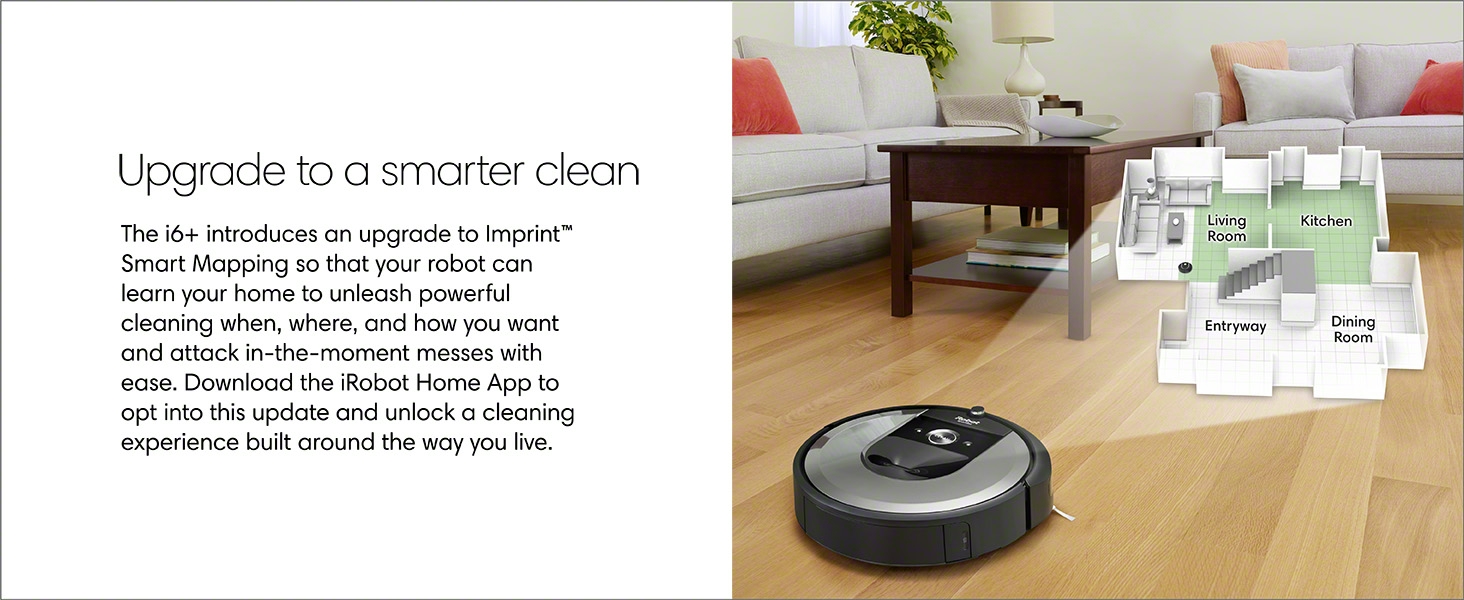
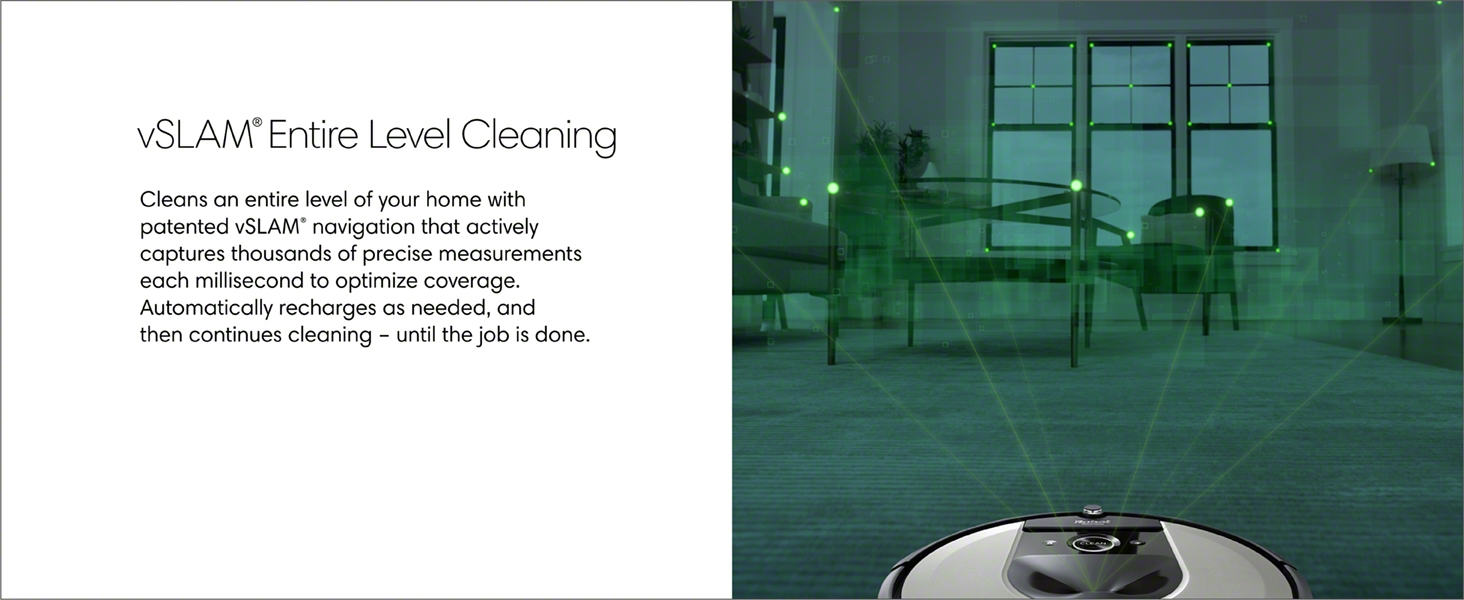
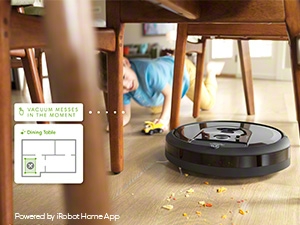
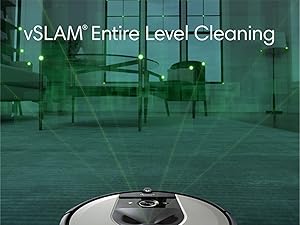
The iRobot Roomba i6+ (6550) is a Wi-Fi connected robotic vacuum featuring advanced vSLAM smart mapping, automatic dirt disposal that empties itself for up to 60 days, and voice control compatibility with Alexa and Google Assistant. Designed for multi-surface cleaning including carpets and hard floors, it offers personalized scheduling, powerful suction, and adaptive navigation to keep your home effortlessly spotless.











| ASIN | B085D45SZF |
| Are Batteries Included | Yes |
| Batteries | 1 Lithium Ion batteries required. (included) |
| Batteries required | Yes |
| Battery Life | 6 months |
| Best Sellers Rank | #1,512,133 in Home & Kitchen ( See Top 100 in Home & Kitchen ) #1,116 in Robotic Vacuums |
| Brand | iRobot |
| Color | Light Silver |
| Compatible Devices | Amazon Echo |
| Control Method | Voice |
| Customer Reviews | 4.4 4.4 out of 5 stars (8,012) |
| Filter Type | Disk |
| Form Factor | Robotic |
| Included Components | Clean Base Automatic Dirt Disposal, Dirt Disposal Bag, Line Cord, Roomba i6+ (6550) Robot Vacuum |
| Item Weight | 22.4 pounds |
| Item model number | i655020 |
| Manufacture Year | 2019 |
| Manufacturer | GE Lighting |
| Model Name | I655020 |
| Power Source | Battery Powered |
| Product Dimensions | 13.34"L x 13.26"W x 3.63"H |
| Smart Home Compatibility | Smart Home Compatible |
| Special Feature | Smart Mapping, Automatic Dirt Disposal- Empties Itself, Cordless, Auto-Docking, Automatic Dust Collection, Programmable, Dirt Detection Sensor, Pet Hair Pick Up, Scheduling, Room-By-Room Navigation, Automatic Height Adjustment, Selective Room Cleaning, Anti-Collision, Anti-Fall, Edge Cleaning, Multi-Floor Mapping, Intelligent Mop Lifting |
| Specific instructions for use | carpet, dual action, hard floor |
| UPC | 885155025227 |
R**N
I Feel Like George Jetson!
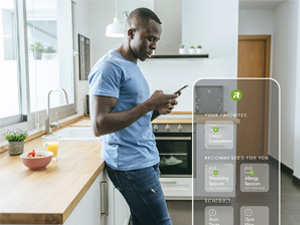
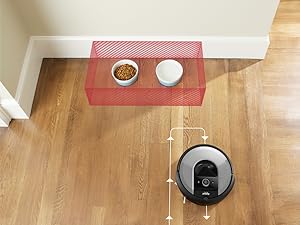
This vacuum in amazing. Simply amazing. I've had a Roomba 650 for several years and was mostly satisfied with it but this iRobot Roomba i6+ is, well, miles ahead of the 650. Once you've got it set up and ready to rock, vacuuming your house is, for the most part, an afterthought. First of all, be assured that the i6+ is nearly identical to the i7+ with the exception of the silver top, no included virtual wall, and the lack of extra bags and filters included along with it. But more on that later. Set up is easy. Simply find a nice space for your Roomba to reside and you're on your way. iRobot says you need about one foot of space in the front and on the sides of the base station. Once you've established that, it's time to charge it and set it in motion. My i6+ came partially charged so I went ahead and charged it fully before beginning a vacuuming session. While it's charging, download the iRobot app from the Apple Store or Google Play Store. You can also link your Roomba to your home network at this time. It took me a few tries to get this right and I had to end up using a different router than I had first attempted to connect with. My "parking place" isn't too far from the router but for some reason, I could never get it to connect to that one. When you've connected, your i6+ will upload the latest firmware version. Once your Roomba is fully charged (you can follow the progress on the app), it's time for it to take a tour of your house. The instructions you receive with your vacuum isn't real clear on this next step so let me try and fill in that gap for you... The i6+ needs to learn your house before you'll be able to schedule regular cleaning runs. I watched several videos that told me to send it on mapping runs first. Your mileage may vary but the app didn't allow me to do this. For the first 2 times I vacuumed, I had to simply send it out to vacuum the entire main level of my house. Finally, after those initial couple of sessions, the Map icon lit up and I was able to send the i6+ out on scouting runs to more efficiently map the house. It's really amazing how you can see the map start filling in and how accurate it is. Once you've got your house mapped, you can start naming rooms and setting up schedules for cleaning. By far, the coolest thing about the map is the ability to set up "keep out" zones, such as areas where cords or cables are on the floor or, in my case, where the water dish is for the cat. This may take a bit of experimentation but it really works well once you set them up. I've had it bump the water bowl once but it was because the i6 got trapped by a chair someone moved while it was in a corner and the only way out was to take a path that the bowl was blocking. My old 650, like the i7, has a black top which, over time, became very scratched and unsightly. The silver top of my i6+ looks brand new, even after 30 or so sessions. Aside from the aforementioned water bowl bump, this i6+ has performed nearly flawlessly. There has only been, so far, one incident where it stopped during a session and that was due to it sucking up a cat toy on the floor. I simply pulled the toy from the rollers and off it went! I have yet to change the bag in the main unit and when I inspected the dirt bin on the vacuum itself for the first time today, it's amazingly clean and free of dust. I was constantly having to clean the bin of the 650 and change filters. Not so with this guy. If you're on the fence about buying this vacuum, have no fear. It is, as I stated above, amazing. Your house will stay much cleaner without investing your valuable time doing so. It's pricey, yes, but it's well worth the investment if you're looking for a vacuum that you can "set and forget".
R**E
Works as advertised, would recommend!
I took it out of the box yesterday and since I had plans I didn’t read the directions just the quick start guide. Was disappointed when it ran for 12 minutes and needed me to put it on the dock. Fast forward to today and it ran over an hour while vacuuming/learning my house. (After READING THE DIRECTIONS I learned it only comes partially charged.) I followed it around so I could make adjustments to plants and such but for the most part it did well maneuvering. Also I followed room to room to turn on the lights for it which is what you need to do for the camera to work. Because of the camera it can tell if there is a particularly dirty area and it will spend extra time there. It fit well under a couple pieces of furniture that normally collect dust bunnies which was really nice! It did a pretty good job learning and has cleaned every room I’ve opened except my master. It’s currently charging and the ap tells me it will resume cleaning once charged. I did notice it return to several places repeatedly so hopefully it will work itself out with that regard. The crud that gets on my floors is cat hair and fir needles for the most part. It did a great job with that. It also did a great job maneuvering rugs without too much trouble. Only once did I have to intervene when Sam (yes I’ve named it) tried to climb the Christmas tree. That will be gone in a day or two so, no matter. The vacuum itself is not loud in my opinion. The emptying as others have said is pretty loud. In my video my kitten is running through the house so that’s not Sam making that racket. I have two rooms that are carpeted but I haven’t tried it on carpet yet because the rooms are not picked up. Also I think I’d prefer to just use my Dyson on carpet. If I try using it on carpet I’ll update. This was a gift from me, to me for my 50th birthday and so far I am very pleased with this purchase and would definitely recommend. Update: 1/14/21 Well there are def some quirks. I got the map and redefined some boundaries so likely confused the little b$(&@stard while he was running. IDK if that has any effect. But although it vacuumed like a champ it was a little lost at times today. Also, it sent itself to the charger (great job lil buddy) but then sent itself back out after about three minutes of charging; thought better and then went back to the dock. So there it currently sits until IDK when. This is all fine to me. Tech evolves and so do we. I’ll keep ya posted. Bottom line? Floors look nice.
S**N
Tiene cosas que me gustan y otras que no Por ejemplo no me gusta que tengas que tener suficiente luz para poder mapear el lugar oh cuando deba limpiar si está algo oscuro o luz apagada aveces se pierde. El tipo de base está mal diceñado de lugar de darle mayor soporte a la hora de acomodarse le cuesta trabajo acomodarse aveces tarda en acomodarse o no hace bien contacto para cargarse. En limpieza siento que le falta más subccion si aspira Masomenos bien incluso gracias a su censor de suciedad se regresa a recoger lo que le faltó pero siento que le falta mejoras en su diceño y más sensores cuando está en el segundo piso antes de bajar las escaleras se supone trae sus sensores delanteros para pararse y no caer en las escaleras si se para pero queda medio robot en el piso y la otra mitad volando sobre las escaleras debiendo parar en seco al robot en cuanto sensa que no hay piso , no está bien programado esa parte lo que realice es que le puse unos centímetros antes de que pase esa situación le puse como zona restringida. Por el tipo de rodillos que trae si ayuda con el pelo de mascotas hay una situación ahí y es que aveces 2 de cada 5 veces cuando hay demaciado pelo de gato no lo subccion bien o no lo atrapa bien con los rodillos y lo que hace es que se queda almacenado debajo de los rodillos cuando ya está en su base y levantas al robot tedas cuenta que tienes un fajo de pelos ahí acumulados. Desde mi punto de vista para evitar ciertas cosas como está y hacer que te funcione bien la robotina la recomendación siempre será que la robotina este aspirando 2 veces al día todos los días solo así no va tener tantos detalles. Si es un buen producto pero deben de mejorar muchas cosas para que el que la compre no tenga que estar haciendo trucos para que funcione como uno quiere.
M**T
This Roomba vacuum cleaner performs better than our other two lidar based vacuums. It navigates quite well and meticulously cleans our floors. For the navigation it does require some light. The self cleaning feature was the selling point for me and it is worth it! If I forgot to clear out the boxes daily on my other vacs, they would not perform as well and effectively would waste their vacuuming runs. The Roomba has performed flawlessly over the past three weeks. It has found its base each and every time. It has picked up the hair from two dogs and a cat. I divided the daily runs (last two map images) into two as the battery life is one weak point and having it recharge to continue, we found to be annoying. In the morning it does the run where we tend not to be in and in the afternoon, the other portion of the house. It has been working out well with no interruptions to empty or recharge. Our living area consists of all hard floors and has a lot of furniture and obstacles for the vacuums. Having said this, the layout was robot proofed for the prior robot vacuum cleaners so it did make it easier to implement the Roomba. After completely charging the robot, I did a single mapping run with all rooms well lit. That, surprisingly, worked out perfectly. Our vacuumable area out of 1700 square feet of technical floor space is around 1000 square feet. I check and clean the bag, brushes (if necessary) and filter once a week. Pros: Excellent at cleaning and picking up fur (one dog is a husky that sheds a lot) Self cleaning bin is very effective. Good navigation in light Good cleaning pattern Much less maintenance than other robots without the self-emptying bin Rotating brushes work very well with no tangles to date. Better than my Lidar at actually cleaning. Dirt sensing ability and repeats cleaning in those areas where it detects more dirt. Good mapping. Minor Cons: Shorter battery life than other Lidar based robots. Needs light to navigate effectively. Lidar vacuums are more precise in their coverage and navigation. Major cons: None yet. I have been impressed enough to consider having another one in the future for our lower level. I had carefully researched for weeks before purchasing this I6+ (which is the same as the I7+ and I8+ except for extras). While I prefer Lidar based robots normally, this one seemed to be the best self-emptying robot available. I purchased this while it was on sale before Christmas.
M**S
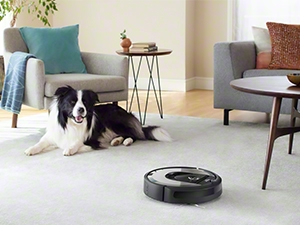
This robotic vacuum was everything I hoped for. After reading countless reviews and searching the Internet, I figured I’d give it a try and I’m glad that I did. Here are a few of my initial thoughts that I hope will help you when deciding whether or not to buy this product. PROS: Despite some negativity about this product’s noise level, I found it to be quieter in comparison to my Bissell; unless it was emptying on the dirt disposal base, otherwise it wasn’t nearly as loud as your traditional vacuum. In terms of suction power (also compared to my Bissell), the Roomba has just as good of a suction, if not better. The i6+ was able to pick up anything from dust, to dirt, to cat hair (we have three cats). I was especially impressed when it cleaned the baseboards and in between our railing banisters with its side brush. Another feature I liked was the “charge and resume” software. From my experience, it takes about one and a half hours to get a full charge then the robot does roughly an hour and a half of work before needing some more power. I placed the i6+ on the upper level of our house, which measures about 800 feet, and it was able to get that area clean on one charge. A final feature that I find convenient is the app. I like that I can schedule cleanings and see information about how long the robot cleaned, where, etc... *** NOTE: I READ IN THE MANUAL THAT A MAP LAYOUT IS GENERATED AFTER ABOUT 3-5 USES.*** (This is accurate in my experience thus far) (At first I didn’t notice this mapping feature in my app settings and became worried, but after further investigation I now understand why. The robot needs to learn the area/floor plan a few times before it can generate a map. After two “learning runs,” my Roomba was able to identify its surroundings and I can now name rooms, place clean zones, and set keep out zones within the app. CONS: There is no question in my mind that this was a great investment; however, the price was a bit hefty. If you’re able to purchase this on sale like I did, it’s worth every penny. I would’ve also liked to see a bit more extras in the box, but overall I feel like this vacuum was still good value and I will get a lot of use out of it. FINAL THOUGHTS: Look for this product when it’s on sale. It’s worth a pretty penny but it’s features are excellent and it gets the job done in a reasonable time. I purchased this because I have a very busy schedule. So I see this being ideal for those with busy lifestyles, and those who own pets.
J**E
We upgraded from a still functioning, nearly 20 year old Roomba to the i6+ and the difference is astounding. Pros: 1. This unit maps every inch of our floor perfectly and literally misses NOTHING. Our floors are always so clean you can mop right after and find not even a crumb. The AI is unreal! Watching it "think" is mesmerizing. 2. The fact it returns to charge and clean its bin (and works with Google Home voice commands) is so great. Cons: 1. The disposable bags are 9$ each with tax, only available thru Roomba, and with our dog they fill up easily once a week. The unit only came with 1 bag too. This just feels wrong, like a total rip off. There is no reason they couldn't have designed a removable/reusable bin other than to rip you off for vacuum bags for the next 20 years. 2. While this unit is flawless on floors, it doesn't pick up our dogs long hair off the carpet. Basically it just clumps it up everywhere leaving balls on the rug. Ironically our old pet hair Roomba was far better at this. I think the difference is the new Roomba has rubber brushes which work flawlessly on floors, but about 20% as well on rugs. Hopefully they start making bristle brushes or something to fix this issue soon. 3. Even though the unit auto empties the bin, it will not get all the long pet hair off the brushes, side spinning brush or front spinner wheel. You'll need to quickly clean these areas every time so you don't prematurely wear out the Roomba. On the plus side this takes less than 30 seconds and is FAR better than cleaning past Roomba versions which often took me 5-10 mins to do. Bottom line: if you have floors, this Roomba will clean your house better than you can imagine. Expect to replace a vacuum bag often and at excessive cost. If you have rugs with pet hair, this isn't a great purchase.
M**S
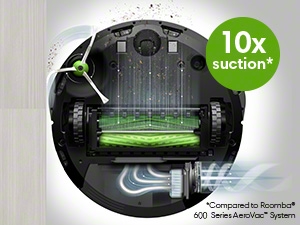
So being home with a new baby was super messy and thank God I got this IRobot vacuum. This machine is so powerful that I don't have to worry about dirt and dust. After unboxing, I downloaded the App, and first I mapped my home so It is easy to locate and clean it smartly. The app helps me to decide where I need to clean which are the NO GO ZONES. This app also helps me to determine the time to start the cleaning and also where. It goes systematically and symmetrically to all parts of the house to pick up dirt. The suction is very powerful. I have not seen such powerful suction even in the corded vaccumes. The cleaning base automatic dirt disposal system is amazing because it can hold maybe 2 months of dirt in that bag. After cleaning, the robot vacuum goes by itself to dispose of all the collected dirt in the beg which you can throw without touching the beg. With Mobile app you can control which area to clean and which not. This is is a big plus point if you have just want to do cleaning some particular zone. This is an amazing product with great technology. I am surly impressed!
Trustpilot
Hace 1 semana
Hace 1 semana