
Descargar la aplicación


Servicios al cliente
Sobre nosotros
Copyright © 2025 Desertcart Holdings Limited
Descargar la aplicación
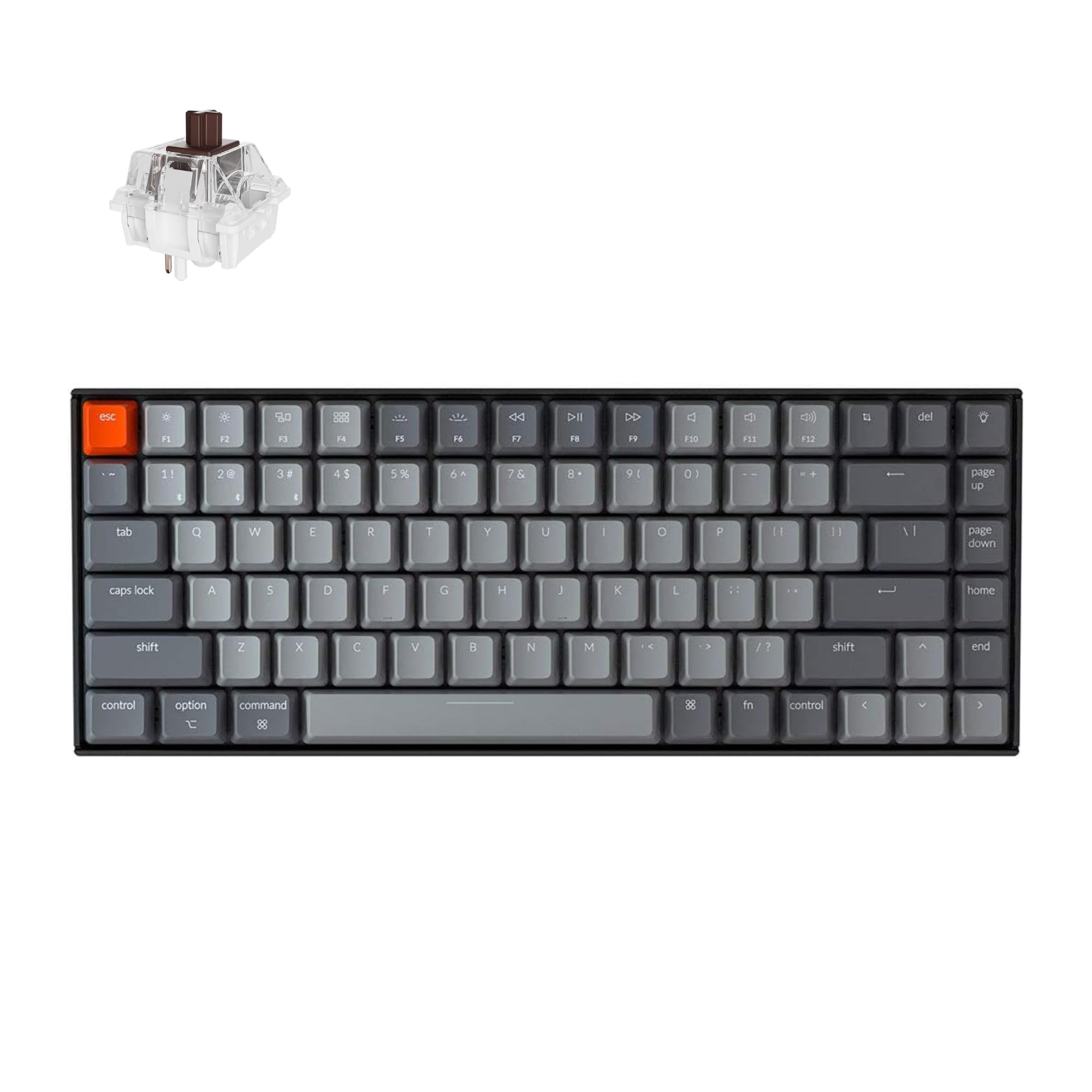
⌨️ Elevate your desk game with the Keychron K2 — compact power, wireless freedom, and style that clicks.
The Keychron K2 is a premium 75% wireless mechanical keyboard featuring 84 keys with Mac and Windows compatibility, powered by a robust 4000mAh battery for up to 7 days of use. It supports Bluetooth 5.1 multi-device pairing, includes tactile Super Mechanical Brown switches rated for 50 million keystrokes, and offers white LED backlighting. Its compact design retains essential keys and provides ergonomic typing comfort, making it ideal for professionals seeking a stylish, durable, and versatile keyboard for work, gaming, and multi-device setups.


| ASIN | B07QBPDWLS |
| Batteries | 1 Lithium Polymer batteries required. (included) |
| Best Sellers Rank | #3,473 in Video Games ( See Top 100 in Video Games ) #23 in Mac Gaming Keyboards #294 in PC Gaming Keyboards |
| Brand | Keychron |
| Color | Brown Switch |
| Customer Reviews | 4.3 4.3 out of 5 stars (3,378) |
| Date First Available | October 20, 2019 |
| Hardware Platform | PC |
| Is Discontinued By Manufacturer | No |
| Item Dimensions LxWxH | 12.32 x 4.84 x 1.52 inches |
| Item Weight | 1.93 pounds |
| Item model number | Keychron K2A3 |
| Language | English |
| Manufacturer | Keychron |
| Operating System | MAC |
| Power Source | Battery Powered |
| Product Dimensions | 12.32 x 4.84 x 1.52 inches |
M**Y
Awesome first time mechanical keyboard!
So first off, a few disclaimers. One, I am no mechanical keyboard expert so take everything I say as experience, not expertise. Two, this is my very first mechanical keyboard purchase so I have no other mechanical keyboards I can compare this to. Three, if you know nothing about mechanical keyboards - go and read at least a couple articles about what the different aspects to them are. Especially the different types of switches. Depending on what type of sound and feel you want, knowing the switches will potentially make the difference between a happy purchase and an unhappy one. I’m glad I did the research because I ended up very happy with both the sound and the feel. Ok, all that said… on to the review. After using my last keyboard for about three years, I decided it was time to replace it. I had been hearing a lot about mechanical keyboards for a while and had been talking to others about their experience. I decided it was time to take the plunge. The challenge here is that there are A LOT of options out there. Here’s how I chose. I’m a big fan of the folks at the Wirecutter (don’t love that they sold out to NYT, but whatevs). So I read their research and testing on best options. Their pick felt way over my head, both in terms of acquisition (had to go some mechanical keyboard online shop), costs, options, and wait time. Their budget pick, the Keychron C1 caught my eye. But this was a wired KB and I wanted wireless. I also noticed that their upgrade pick was also a Keychron - so when I found this one, I thought it couldn’t be too bad. Plus it had the two main features I wanted (bluetooth and backlight). Plus it looked pretty awesome. The overall package - I have to admit for a brand I had never heard of before, the whole package - keyboard and all - was made with a considerable amount of quality. The construction feels solid and sturdy. The instructions were understandable and clear. It included extra keycaps if you wanted to use this keyboard with a windows machine. You could even change the keys in the corner to gray or orange. Your choice. But the most important question - how does it feel to type? Mind you I’m not wildly picky nor a typing snob - but I thought it was great. I love the feel of it and it has just the right amount of feedback and sound. I got the brown switches for just this reason. Again, I will stress the importance of knowing what kind of switches you want. What I like - Typing feels awesome. It looks amazing on my desk and blends well with my Mac and all my accessories. Holds a charge for a long time. Lots of fun backlight options. Easy to configure. Can use as wired or wireless. Everything is high quality. What I don’t like - It goes to sleep a little too frequently for my taste. Mind you, this is configurable and you can change the amount of idle time before sleep or turn off auto sleep altogether.I tried this, but I think I got something wrong and now it seems to go to sleep even faster. But this is truly a PEBKAC and not a problem with the keyboard itself. Who would I recommend this for - I would definitely recommend this keyboard for anyone looking for their first foray into the mechanical world. Nothing to overthink here. Just pick the type of switches you want (thank goodness there are only three available as opposed to the dozen or so that are out there) and order and you’re on your way to clickety-clackety nirvana.
P**R
A great keyboard if it fits your needs
I bought this for a home office that occupies a niche off the family living space and therefore should be as neat and minimal as possible. I especially want to avoid a tangle of cables. For years I used a Unicomp Model M at work, which I loved, but it was way too loud for home. I wondered how I would do with the Gateron blue switches, but in practice I like them just fine. The touch is lighter than the buckling springs of the Unicomp, but I have adjusted quickly and may soon prefer them. Anyway, after years of being forced much of the time to use laptop keyboards or the mushy junk at various offices this is quite satisfactory. I was also worried about using a Bluetooth connection, since other people have sometimes reported trouble, but it has worked like a charm. The connection was easy to establish and easy to restore after using the keyboard with other devices. I see no lag, no dropped characters, and no repeated characters. I don't game, so there may be a degree of responsiveness others need that I don't, but as far as I'm concerned each stroke has an instant result. It probably helps that I'm using this with a new NUC that has up-to-date Bluetooth 4.0. The keyboard goes to sleep after ten minutes and requires a keystroke to wake up. I realize that some sleep algorithm is necessary for battery life, but I wish that it were adjustable -- I would trade more frequent charging for longer wakefulness. However, I have quickly developed the habit of hitting the shift key after returning to typing. I was already acclimated to that from using laptops on dark airplanes to restore back-lighting. Speaking of which, I have found the back-lighting to be more useful than I thought I would. I got the model with the plain white LEDs and only the use the most boring, straightforward setting. I makes it easier to work in the dark, which I often do, and it serves as a reminder that the keyboard is asleep. The biggest bonus for me has been how well the keyboard works with other devices, like my iPhone and a smart Samsung television, filling a need I didn't know I had. I dislike typing long emails and texts with my thumbs. If the keyboard is in reach function-1, -2, or -3 quickly lets me switch with no problems. It has also spared me the tedium on text entry using the television remote when I am trying to search for a movie on Netflix or enter a password. My only objection to the keyboard is that, in practice, I don't love the form factor. That is not a design criticism. I thought I would, but now I think I would prefer a more expansive tenkeyless design, with the conventional layout for arrow keys and a little gap between the numbers and the function keys. This is perfectly designed for someone who wants to able to toss this in a backpack and use it in many places, but for pure keyboarding in one place, it is more compressed than I need. It also stands slightly higher than I would prefer, but that is really just a matter of the right wrist rest. The build quality is excellent, the keyboard feels solid and inflexible, and the weight (though far less than the good old Unicomp) is enough to keep it firmly in one place. I will definitely keep this keyboard, even if I end up buying a larger one for daily use. I know now how well Bluetooth and blue keys work for me. I recommend this to others for quality, but always subject to subjective preference and the job at hand.
C**C
Great price 75% mechanical keyboard but went back to the full-size keyboard by Keychron
This is a great 75% mechanical keyboard but after using it for a while. I like the feel when you press the keys so it works well for typical office use and also for CAD/design work. However, I realize that I prefer the full-size keyboard with the number pad attached. I have since bought that version and I love it. Battery life for these keyboards are awesome, and I like the fact that you can charge it and still use it at the same time.
A**W
Had a couple of main goals in mind for my ideal work keyboard; - small form-factor and wireless - usable with multiple devices, of varying OS's - mechanical keyboard withcomfortable typing and clicky keys This keyboard was able to meet all those expectations; - responsive bluetooth wireless connectivity - able to simultaneously pair with up to three devices - worked with Windows, MacOS, Linux (Ubuntu), Android, and iOS - blue switches gave that clickly feel and sound, without making typing stenous - battery life, of at least 16 hours of straight wireless use The keyboard does sit a little high however, so if you have sensitive wrists, you will want to keep that in mind.
M**I
Excelente, produto de alta qualidade, sou programador e para este fim não tem teclado melhor.
M**.
Perfetta . e basta 👍😂
S**L
Très bon clavier, fonctionne très bien depuis 5 mois
C**N
Absolutely love this keyboard, I was a huge fan of membrane keyboards, and still am for some work, but at my main desk setup this is fantastic and love the feel. I type slower than on a membrane; but it’s way more comfortable and fun to use for gaming. Love that there is no rgb, but the backlighting is really extensive and easy to use, and I’ve never found myself wishing there were more options for it.
Trustpilot
Hace 2 meses
Hace 1 mes