We remain fully operational. Our teams are working around the clock to ensure your deliveries continue safely.

Descargar la aplicación


Servicios al cliente
Sobre nosotros
Copyright © 2025 Desertcart Holdings Limited
Descargar la aplicación
![ineo USB 3.1 Gen 2 Type C Dual Bay 2.5” SATA RAID Hard Drive Enclosure [C2570 RAID]](/_next/image?url=https%3A%2F%2Fm.media-amazon.com%2Fimages%2FI%2F51FRYMkNCXL.jpg&w=3840&q=75)

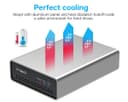

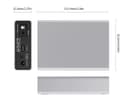
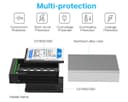
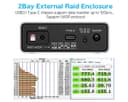
desertcart.com: ineo USB 3.1 Gen 2 Type C Dual Bay 2.5” SATA RAID Hard Drive Enclosure [C2570 RAID] : Electronics Review: Complete Trash if your an OSX User - OSX will not recognize this trashy dip switch business nor can you use the drives as stand alone and use RAID software. The caddy also fail to allow the machine to recognize the drives. Its very fickle if you switch around the drives, then they'll be recognized. Nothing in the listing or instructions is helpful for the compatibility issues. I've been with desertcart for years....first bad review. Well worth leaving if it save some other poor soul $50. Review: May or may not need AC power supply - I tested this unit with two spindle drives and two SSDs using RAID 0. I have a USB-C / Thunderbolt3 port. Only one spindle drive would come up when using USB power only. Plugging in the AC power and it worked just fine. The SSDs were able to run on USB power only. Speed was consistent with USB 3.1 drives. Installation was simple. Configuration was simple.
| ASIN | B07QXP27G5 |
| Brand | ineo |
| Compatible Devices | Laptop |
| Customer Reviews | 2.7 out of 5 stars 7 Reviews |
| Hard Disk Form Factor | 2.5 Inches |
| Hardware Interface | USB, USB 2.0, USB 3.0, USB Type C |
| Hardware Platform | Windows |
| Manufacturer | ineo |
| UPC | 691327217860 |
A**Y
Complete Trash if your an OSX User
OSX will not recognize this trashy dip switch business nor can you use the drives as stand alone and use RAID software. The caddy also fail to allow the machine to recognize the drives. Its very fickle if you switch around the drives, then they'll be recognized. Nothing in the listing or instructions is helpful for the compatibility issues. I've been with Amazon for years....first bad review. Well worth leaving if it save some other poor soul $50.
T**Y
May or may not need AC power supply
I tested this unit with two spindle drives and two SSDs using RAID 0. I have a USB-C / Thunderbolt3 port. Only one spindle drive would come up when using USB power only. Plugging in the AC power and it worked just fine. The SSDs were able to run on USB power only. Speed was consistent with USB 3.1 drives. Installation was simple. Configuration was simple.
L**E
Not many products with these features, works okay with limitations
There are not many 2-bay SSD external enclosures with a USB 3.1 Gen 2 connector. I hooked this up for using two SSDs in JBOD mode and found some issues under macOS Catalina. First, some comments on build, and fit-and-finish. - the aluminum casing is very rough around the front and back edges. Someone handling this roughly could probably cut themselves on it. - the internal chassis that holds the two SSDs and the logic board is made of plastic. I guess you could say it "does the job" but I would have preferred to see it made of metal, to help with heat dissipation. - The rough edges of the aluminum casing will scrape against the plastic chassis, causing small bits of plastic to shave off. It's tiny pieces, so I'm not concerned about the product breaking. However, this is disappointing. - The power is a push-button with very little travel. I would prefer that the spring mechanism be more firm and have some more "travel." - The USB-C connector snaps in, but it does not hold very tightly. If you move the enclosure while it's connected to your computer, you could quite possible cause the cable to pop out. That happened to me during testing. You do not want to move this device around while it is in use. - I'm glad that an external power adapter was provided. However, the plug only seems to fit halfway into the socket, which is unusual. - The plastic feet on the bottom are very thin and have very little grip. The unit is light, and the feet have very little grip. If this is exposed on a smooth surface (instead of, say, resting under something), then it's possible to knock this thing, have it move, and have the cable disconnect. That's the last thing you want to happen when you're saving files to this enclosure. In my situation, this device is in a protected position under a large monitor, and once I'm done testing, I don't plan to move it much; and I can add different rubber feet on the bottom; nor will I need the external power adapter. So I can accept these limitations for the sake of running two SSDs with a single USB-C cable... but the overall build quality doesn't leave me smiling. Next, here are some anomalies I encountered: - cloned boot disk used in conjunction with another SSD causes the enclosure to freeze up. This is a very particular situation. I cloned my boot disk to a SSD with FileFault encryption. When I put this SSD in the enclosure by itself in bay 1, Catalina recognizes it. When I add a second SSD to the enclosure, neither disk can be recognized by the OS. The two drive activity lights are solid blue, indicating a fault. At that point, I have to turn off the enclosure. Further, the cloned boot disk SSD goes into some kind of safety mode and is temporarily inaccessible for 10-15 minutes. It does not matter whether I put the cloned disk in bay 1 or bay 2. The same behavior is exhibited. The other SSD is fine - it does not go into safety mode, and I can access it immediately after the enclosure fault. The cloned boot disk is 500 GB capacity, and the other SSD is 1000 GB. This happens regardless of whether I use the external power adapter. - Erratic performance with a 4 TB Micron 5100 ECO SSD. When copying 30 GB of files, the disk will sometimes register up to 400 GB/sec of activity, then suddenly drop to zero. Strangely, the disk activity lights are still blinking, though my monitoring software is reporting no I/O activity. Then, after maybe 30 seconds, the file copy will resume, but perhaps at a lower speed: between 100-200 MB/s, or even below 100 MB/s. When I moved the 5100 ECO to a different enclosure, I do not see this activity. So, why use this at all? - limited options in this product space. Cables to Go and Inoteck offer a similar product (looks like they sell the same unit, just badged differently). This Info product is smaller than the other one. - I wasn't intending to keep a cloned boot disk in the enclosure. I just needed a SSD for testing, and that disk happened to be handy. - The other SSDs I put in the unit for testing were reasonably fast, with transfer speeds will within the 300-400 MB/s range and sometimes exceeding 400 MB/s during large file transfers. I can use smaller SSDs that are not Micron 5100 ECO (or similar) drives. But... I might just try the Cables to Go / Inoteck version, just to see if the build quality is better.
D**D
So perfect for what I was looking for.
I use two SSD drives that I mirror for my photos. I found this little beauty and works perfect for what I wanted. I looked at many raid systems and most of them are pretty expensive and use formatting that is not comparable with most computers if the unit fails. You loose everything and not able to recover. Anyhow this unit allowed me to instal my SSDs without reformatting and my iMac still sees them as two different drives. So my workflow hasn’t changed a bit. I just save my work on my first drive and then I do a quick sync at the end of the day. This also looks made for the iMac with the silver aluminum body. And I now only need one USB-C port. It powers both drives without a separate power supply. Speed tests shows the same 485mbs Write and 525mds read. I have this set up as “single” vs a raid1. That way I don’t have to worry about a hardware failure keeping me from accessing my files.
P**W
Plug and Play
Works great with my Macbook Pro 2019
M**N
Lasted 3 months before it corrupted the HDDs
After just 3 months of use, the device corrupted the hard drives inside. I confirmed this by using a different, better product. Also, this enclosure requires power. If you're reading this review, buy a competitor product that does not require that.
Trustpilot
Hace 2 semanas
Hace 2 semanas