📚 Read, Relax, Repeat! Your next adventure awaits.
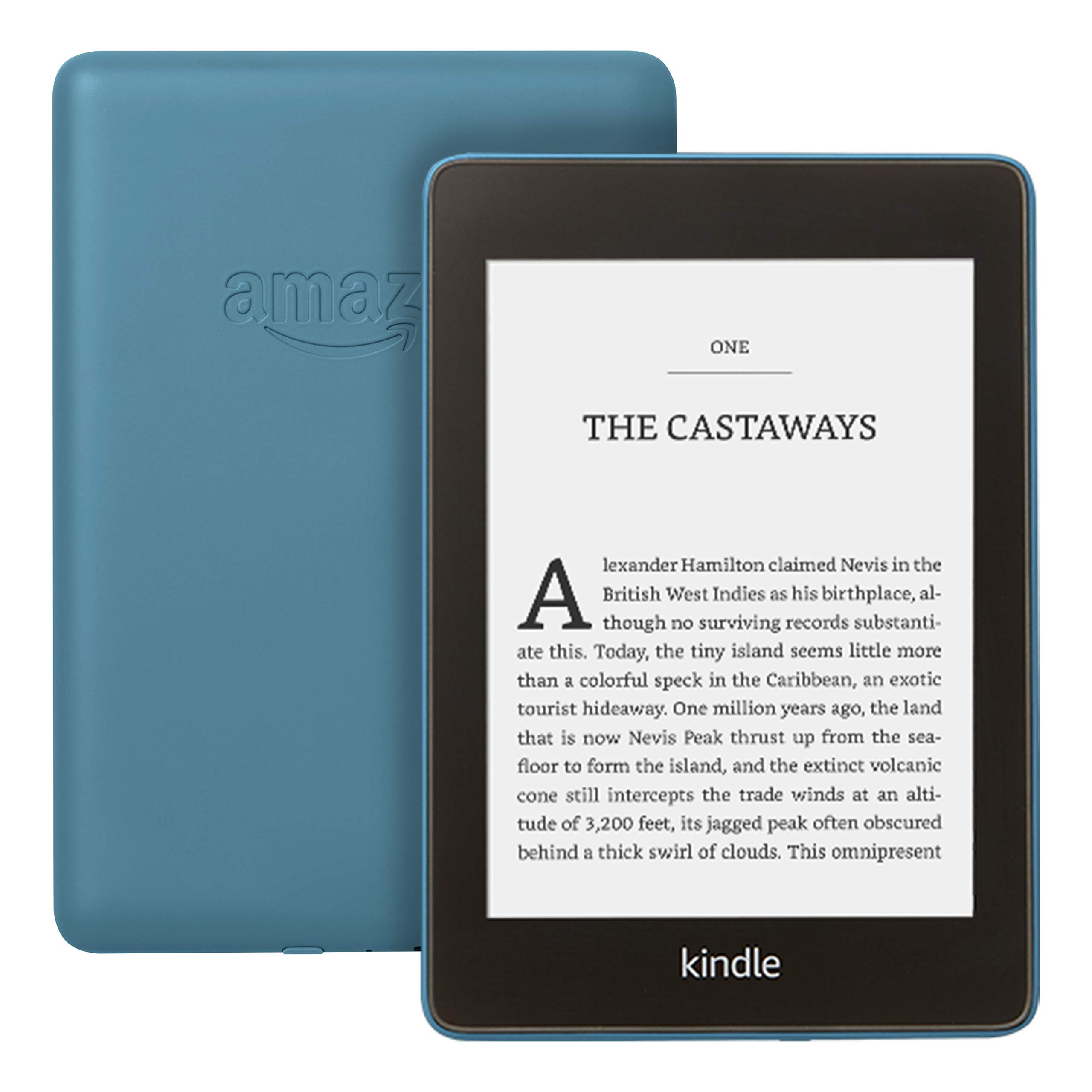
The Kindle Paperwhite is a waterproof e-reader featuring a 6-inch high-resolution display and 8 GB of storage, designed for avid readers who want to enjoy their favorite books anywhere, anytime. With a battery life that lasts weeks and compatibility with Audible, this device is perfect for both reading and listening on the go.


B**Y
Love everything about it.
I’ve always loved physical books (still do) so for a long time kindles and other devices like it held no interest for me and then I fell into the world of FanFiction the majority of which isn’t available in book form so you have to read it online, I was reading on my phone which was both too small for my liking and drained my battery when I discovered that I could download fanfics as ebooks and read them on a kindle I snapped up a bundle deal with the case and plug and I absolutely would not be without it now, I currently have over 700 fanfic books on mine, - the battery life is fantastic, - It’s easy to use, - the Amazon plug is well worth purchasing, - it’s so easy to put books on just save the book to your laptop, plug it in open the relevant file and copy and paste or drag them over. - the background light is well worth having - paying the extra £10 to have it ad free is also well worth it in my opinion. -once a book is downloaded onto the device you can read it anywhere no need to be online. -the storage is immense, I have over 700 books of varying lengths on mine and have barley used a gb. -it’s the perfect size and nice and light. -it saves your page so you just open it and go. If you’re a book lover like me it probably won’t ever be able to completely replace books but it’s a brilliant little device to be able to carry about with hundreds (or even thousands) of books at your fingertips, it’s perfect for my needs and I wouldn’t be without one now and highly recommended them.
P**E
An almost perfect eReader and a great upgrade to the Basic model.
This is an almost perfect eReader only let down by a couple of minor things which can be overlooked for the price. First off I bought this as an update to my 2016 Basic Kindle which was my first eReader and I couldn't be happier with the upgrade really. It comes in a minimalist packaging with just a basic manual and a charging cable, there is no charging plug supplied and for me that is very good as I already have plenty of them from previous devices and another would just be overkill and sit in the packaging unused but if for any reason you don't have one already lying around this could be an issue but really, who doesn't already have several from other devices! It's thinner than the basic but slightly taller but very light and comfortable to hold, much more so than most physical books. The higher resolution 300dpi screen is nicer to read from over the 167dpi Basic model and the additional fine tuning with the font boldness control over the Basic is nice, if you use larger size fonts it will also look smoother to the eye.. You can add custom fonts which my Basic model could not do which is nice but not necessarily a must have for some but good to have the ability to add them if you do want to. The screen is slightly more reflective than my Basic was but still easily readable in most conditions and in full sunlight. The new flush screen is very nice and wont get fluff and lint trapped in it as my previous Basic model did and won't require cleaning so often and with this iteration it brings 2 major things that my Basic didn't have. First up is that it is lit (which the latest Basics do actually have now but didn't then) which now means I can read in bed with no additional lighting or when waiting for a train without having to stand directly under a platform light and he light works very well for me, it seems to light the screen evenly and being front-lit it doesn't tire or strain my eyes when reading in a dark environment as a back lit scren does, unfortunately there is no way to make the light warmer in tone though. Secondly it has an IPX rating for being waterproof which with the inclement UK weather means I can read waiting for trains and buses without trying to shield it from the elements and I can relax in a bath reading without worrying if dropped that my Kindle will die on me. The battery life is good too, with my commute on trains and a bit of reading in bed I read for 2-3 hours a day with the wifi off mostly and the light off during the day but on after dark at a brightness of 10 (out of 24), it will last me around 2-3 weeks before it requires a charge, it seems to be longer without the special offers than it was before I had them removed so if your battery is not lasting as long it may be those that are affecting it. I got the 8GB model (6GB is actually usable storage space, the rest is taken up by the operating system) which is 4GB more than the Basic which was starting to get full but to be honest with about the 400 mixed books and comics I have on it I still have 4.5GB free space, so there is plenty available space for maybe another 800 books and more than enough on it already to keep me reading for at least a year anyway even if I didn't acquire any more content. As for the kindle book store, there's quite a wide selection of books to buy (the biggest eBook store) and there are plenty of old (public domain) classics that are free and a lot of indie writers often put a few of their books up for free too (to get you hooked on a series and purchase further volumes) and if you have the a standard Prime account there is a selection of about 1000 books (that change on a monthly basis) that you can borrow up to 10 at a time to read for free too! I don't listen to audio books so I can't comment on that functionality. The only things that let it down are that there is no colour control on the light so although it is only slightly blue in hue you can't change it to a slightly warmer light to make it a little more comfortable at night. Also I don't really like the rubberised finish on the back as it is a fingerprint/grease magnet although if kept in a case that won't be so much of an issue. And the only major complaint I have with it really is that, like my previous Basic model the power button is on the bottom of the device, this is not so much of an issue when it is kept in most cases but if you use it without one it does occasionally get activated and switches the screen off which can be annoying. If a button is really required to be on the bottom of the why can't it be one of the type that is flush with the frame and needs to be pushed in a little to activate! So with the little niggles I have with it why am I still giving it 5-stars you may ask, well it's a fantastic device and I bought it on Prime day so for what I paid for it, it really is a good value reading device (if I had paid full price I might only rate it 4-stars).
L**N
Very nice but expensive
I love my new kindle paperwhite. It’s lighter to hold than my ond one (7 yrs). . I decided it was time to get a new one as the old ones battery needed charging every couple of days , so here I am with my brand new 10th edition one and boy am I pleased with it . It came with a Charging cable , two tiny instruction books which I was unable to read, but no worries as , it’s all on the paperwhite anyway and easily read as you can enlarge the print . It does not come with a charger if you need one it’s a 9 volt one you need. Due to already having a registered paperwhite on Amazon I found my books downloaded automatically and in no time at all , in fact the book I was halfway through reading was there on the first page ready for me to open and start reading from where I left off once I had set up my newbie. I needed to adjust a few settings which was easy o do , Amongst other thing it has a setting that some people with low vision May find helpful, it makes the print vey bold. People who have older paperwhites will have no trouble setting this one up, I didn’t need to do any reading up . It comes partially charged up so you can switch on and set it up straight away . Apart from a tiny rim around the edge It has a flat screen which will make it easy to clean . I have no intention of reading in a bath (I shower) but you can safely with this one if you wish . On one review I read it mentioned that the power button at the bottom protruded too far so that you could accidentally switch it off whilst reading , I have not encountered this problem so maybe they have sorted it out . I like the fact that it is lighter than my old one , the screen seems more responsive too . Atm I have no idea how often I will need to charge it , I do an awful lot if reading so I doubt it will last weeks but I will be happy if I only need to charge it once a week. My paperwhite is so new I haven’t found any cons yet , if I do I will do an update
⭐**0
Newbie to Kindles, love it, so much, bought two
Received the Kindle for Christmas. I wanted to share my experiences with a fabulous device. I only ever read books when on holiday. Since being at home, I actually asked for the Kindle. I know the Kindle has been out years, but where have I been. The Kindle is my life presently, being disabled my life line. Fantastic books, on offer, or free, saved me lots of money. Quite easy for me to float around the settings. Being a newbie to this device, I am still learning. I joined unlimited as on offer, will see if it’s worth it, so far I have read lots of books. I love the dark mode, very usual or will be in direct sunlight. The Kindle has some very good features . I do find and it’s a little hard to explain. Not sure if this is normal, or a glitch. Sometimes when changing pages or searching etc, the screen flickers between dark and light. Unless I haven’t set it correct I notice the writing a little dull, so needed to brighten the screen. Using Dark mode is good for bright sunlight, darkens very well. Also keep it in the dark mode if you want a black background and white writing. Undoing dark mode gives the brighter white background on black writing. A fair amount of options at the top of the screen, aeroplane mode, blue tooth to connect to other devices, sync Kindle, all settings. If you have little ones, the device can be locked with a password in parental controls. Gives options to review books that can be read, and audiobooks. When settings tapped, this will bring up the brightness option. The brightness level goes up to 24 on settings. Sometimes you can hi light errors, and press screen to hi light them, and underline passages important to the book.i assume this helps the author, not really sure. What isn’t shown ( that I know of) is the font size for the reading.... I found this by accident. When on a book, like we do on PCs, for example, spread fingers out as if to make page bigger. What happens is it comes up on the screen, font size, use the slider for your particular reading size. Mine is currently on 7 as have bad eye sight. I would like to mention about the length of battery time. So when I got the Kindle, I didn’t turn it off, just closed it. This is after charging from new. I found the battery lasted 2-3 days if that. I felt I was doing something wrong, it states lasts weeks ? Going around the Kindle there is a button at the very bottom of the device. Shines green, press and hold, after a few seconds, on screen flashes to turn off etc. Press that and screen will go off. Makes sense really, but I was slow to catch on. Depending on how much I read determines battery life. If when I read a few pages before bed, battery lasts a bout a week, any more, or all day, wouldn’t last. So not sure how the Kindle was tested to be honest. It is so easy, light weight and I love it. So much so, I have another delivery today for my husbands birthday.... I wish I bought one years ago. I have the Kindle case and accompanied charger in my bundle. Everything great....... I have the one with ads, like this because it comes up with new ideas of books to buy, or free. After a while, the Kindle knows what kinds of books I like. Thank you to the seller, remarkable lightweight device ** I do hope my review has helped in your decision making, kind regards**
J**K
Very Nice
I got this to replace my very old Kindle with a physical keyboard, which after many years of very good service has now begun to develop a mind of its own regarding whether it will turn on or not, turn pages, and generally speaking being a nuisance. The new Kindle seems to be a great device. The touchscreen makes for very easy access to menu's and setting up your preferences etc. and the different levels of back-lit screen assures that you can read in all light conditions, or without any back-lit if you prefer. It is of course also a lot lighter than my old one, and a lot smaller, even though the actual screen is the exact same size. And it is waterproof! A few things that I have come across so far, that do not fully live up to my expectation, might mainly be a question of getting used to the new device. To me one handed reading was easier with the old version where I would press the forward or backward button with my thumb, but with the touch screen I have not found any way of turning a page backwards with a one handed grip. It is a small issue but if you just want to go back a page you will need your other hand for that, which could easily be done one handed on the old one. I like a compact page on the display but I find that the smallest font is too small and the gap up to the second smallest is quite big, while between size two and three there is hardly any noticeable difference at all. At the same time the font size goes all the way up to 14, and I honestly cannot imagine anyone actually wanting a font so big that only 15-20 words will fit on a page. Just a strange priority the way I see it. The last thing that I am finding a little difficult getting used to is the library function and how it can be filtered to show different folders, or collections as they are called. On the old one setting up collections was a pain but once done the overview of all your books was pretty good. On the new one I find it a bit of a jungle trying to get what I want. Usually I have all my new books delivered into the main library and once I read them I moved them into my different collection. Straight form the library I could then see all my new books, not yet in collections, and by turning pages forward I would then get all my collections listed, and could choose to go into any of them and maybe re-read an old book. With the new one I can either get all my books, or collections only, or read books only, or unread books only, but that means that I have to change the library filter every time I go into the library to show me what I am looking for, rather than have it all at my disposal when I open the library's main page. As said it might just be a question of getting used to the new layout etc. and even if I think that some of the features on the old Kindle was actually better I am still very pleased with the new version that without any doubt is a great device.
N**E
Best Kindle yet!
Before deciding to buy this Kindle, I had been using the 2010 Kindle - the one with no keyboard and no touch screen, just the side buttons. I'd had no inclination to buy another Kindle, because the touch screen wasn't enough of a pull to spend more money on it. I had filled my 2010 Kindle with 18 pages of books and felt sad that I couldn't read it in the bath (my second favourite place) or at night in bed with the light off (my favourite place) I looked on the Amazon store to see how much the Kindle Paperwhite was, and saw this beauty! Wow is all I can say! Amazon seemed to have packed everything you could possibly want into this Kindle Paperwhite! It's small and compact (see pictures), it has light control, it's waterproof, AND you can listen to Audible - all for £129.99! I was definitely sold from the word go! I received it today and I have had a little play around with it and here's what I really like! Pros The new Kindle has no buttons around the edge and it's easy to grasp and keep ahold of. It has Audible and is waterproof like the Kindle Oasis but at a fraction of the price There are no fiddly buttons to change the page but instead a touch screen (very different to my Kindle 2010) There isn't a frame that sits above the screen on this Kindle which makes it look lovely and fancy There is a major amount of space compared to the Kindle I had (I have the 8gb which fits in all of my books and there is still more space) You can set font profiles so if others are using it, it will alter to their preference with ease Cons The only possible con I can think of is I am going to have no time to sleep or socialise because I am going to be stuck reading on this. Overall Amazon have done an amazing job with this new Kindle Paperwhite and at a fraction of the cost of the other high-end Kindles it sells.
M**E
Same great product, but with a few new features
This is my third Kindle and my second Paperwhite. I just upgraded from the 6th Gen but was it worth it? Putting aside that I got a great deal on prime day I was looking to upgrade anyway. My old case needed replacing and I wanted the latest tech so chose to make the leap. Noticeable differences I love the flat surface, this to me is one of the better changes. I like things to look new and one thing that use to annoy me was the amount of dust that was collected around the dip where the screen was in the 6th generation even though I had a closing case on it. Not only did it attract dust but the black finish around the edges where you held the kindle was a magnet for fingerprints and greasy marks. The new kindle doesn’t have this issue with a completely flat front it makes it simple to wipe clean without having to get around edges and while the new one still shows fingerprints they are not as noticeable. Thumbs up from me! It’s thinner and easier to hold. This mostly is because of the bottom which is now smaller and all one size whereas the 6th Gen had a wider bottom and my thumb would always sit there which wasn’t comfortable. This new one eliminates that issue perfectly. Differences that are there but not really noticeable Screen looks pretty much the same, maybe the text is a little clearer but unless you had them side by side you wouldn’t notice. It’s lighter but again unless I have them both in my hand, I really wouldn’t notice. I have a case on them anyway so this adds to the weight. It’s water resistant…….I don’t read in the bath or in a swimming pool but it’s handy to know it’s there. You can store audiobooks and the space has doubled to 8GB (unless you go for the 32GB) Again I don’t use audiobooks and if I did I would probably use my phone so 8GB is more than enough as I never filled my 4GB one before. Those of you wanting to use the audiobooks you can link Bluetooth headphones as there is no headphone jack. Things that seem the same Speed at which you swipe pages, turn the device on and navigate the kindle to me all seem the same speeds. Any negatives? Mostly minor. I would have liked to see a USB-C charging point as this is the way tech is going and it’s a quicker charging time. Battery life seems a little worse than the 6th Gen. I am 35% into my first book on here and I am down to 68% in less than a week whereas my 6th Gen didn’t ever seem like it needed charging. I am using it at night more so maybe it’s the backlight. This is based on the same settings (You can improve your battery by turning off wifi but I wanted to do a comparison) Wake up isn’t instant and you have to swipe to unlock. My old one just turned onto where I was reading rather than have an extra thing to do to wake up. My feelings are this is because you now have a flat screen and it’s easier to hit so you may move the page but another part of me see’s this as Amazon’s way to put advertisements on the screen. Verdict A much nicer smaller Kindle that feels comfortable to hold when reading which is all I want from these devices. The only real concern to me is the battery life compared to my previous Gen 6 however I am pleased I made the jump and this is a recommended product from me. Happy Reading
S**R
Perfect for reading in strong sunshine, in the bath, and taking on trips out.
Until now I have used the kindle app on my ipad mini for reading books but I recently saw my son reading his secondhand Kindle Paperwhite sitting in strong sunshine and was astounded at how good it was and how easy to read. I used to take old fashioned print books outside for reading in sunshine but I find ebooks so convenient that I really can’t be bothered with reading print novels anymore. They seem ridiculously heavy and awkward. It was actually stopping me from sitting outside or enjoying walking as much. Based on his recommendation I started looking for a secondhand or reconditioned one, then I saw that this is watersafe and that was that - I was sold. I love reading in the bath. I have found it perfect for reading outside and I’m really enjoying the freedom to make the most of the rare days of sunshine we seem to be getting in Cornwall. It’s beautifully light and easy to take with me on cliff walks and days on the beach. Now I can dispose of even more heavy, awkward and dusty print novels and their shelves. I would like to be able to block off the sockets when I’m on a sandy beach. I have bought a cover but that exposes the sockets. I wish there were silicone socket covers like my old nokia clamshell phone. Perhaps they are available? My only real criticism is one that applies to all ebooks and readers. Why is the cataloguing of ebooks so terrible?. Now I have a couple of hundred ebooks i am getting increasingly frustrated by the terrible systems available. Yes I’ve tried Goodreads, and cloud collections. I’ve tried various apps as well. Why can’t I have the equivalent of shelves for my entire collection. I want to see spines, not lists or fronts, and I want to move my books around with my finger tip just as I would with real books. I want to be able to touch the spines to expand them to show the front. Solve that and I’ll be truly happy.
Trustpilot
Hace 1 mes
Hace 2 meses